Compiling C Code on the Development Board
Command Line Method
First, create a test.c file in the current directory on WalnutPi and enter the following content (this code prints "Hello WalnutPi" to the terminal):
#include <stdio.h>

int main (void)
{
  printf ("Hello WalnutPi\n") ;

  return 0 ;
}
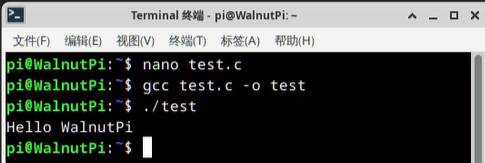
To compile the code, use the gcc command, which is very simple. For example, to compile test.c into an executable named test, just run:
gcc test.c -o test
Run the compiled program:
./test
You will see "Hello WalnutPi" printed in the terminal:
Geany IDE (Local on WalnutPi)
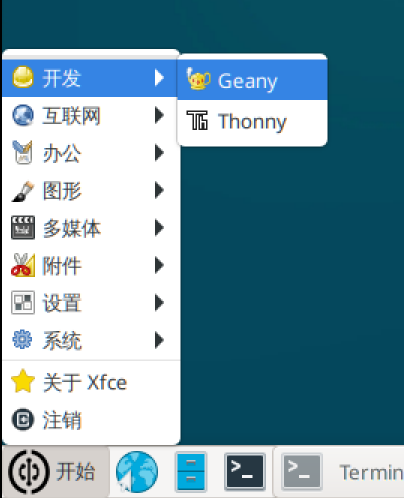
The WalnutPi desktop system comes pre-installed with Geany IDE, located in the Start--Development menu. You can use Geany for C programming, compiling, and running.
Open Geany:
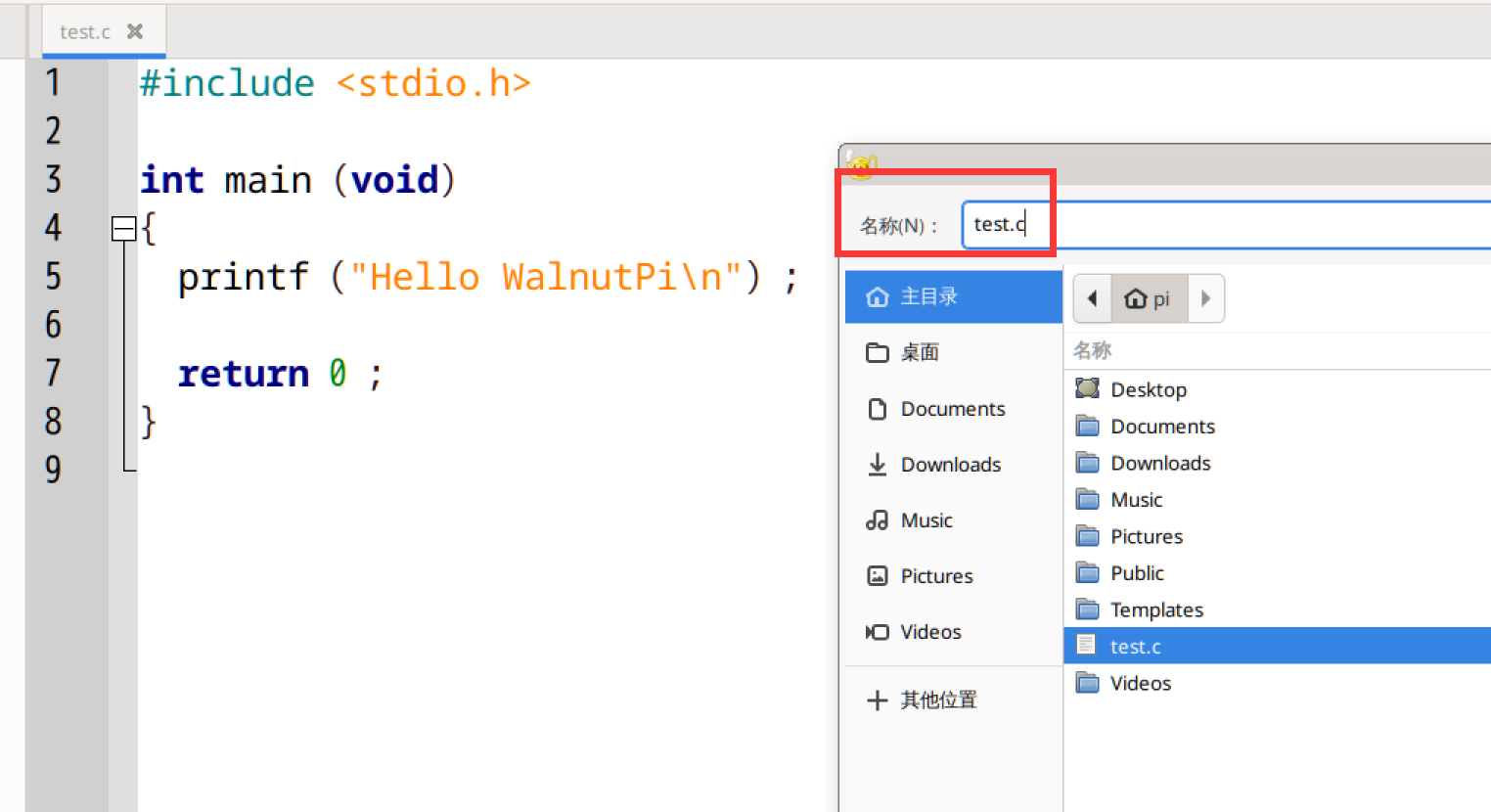
Create a new file, enter the following test code, and save it as a .c file.
#include <stdio.h>

int main (void)
{
  printf ("Hello WalnutPi\n") ;

  return 0 ;
}
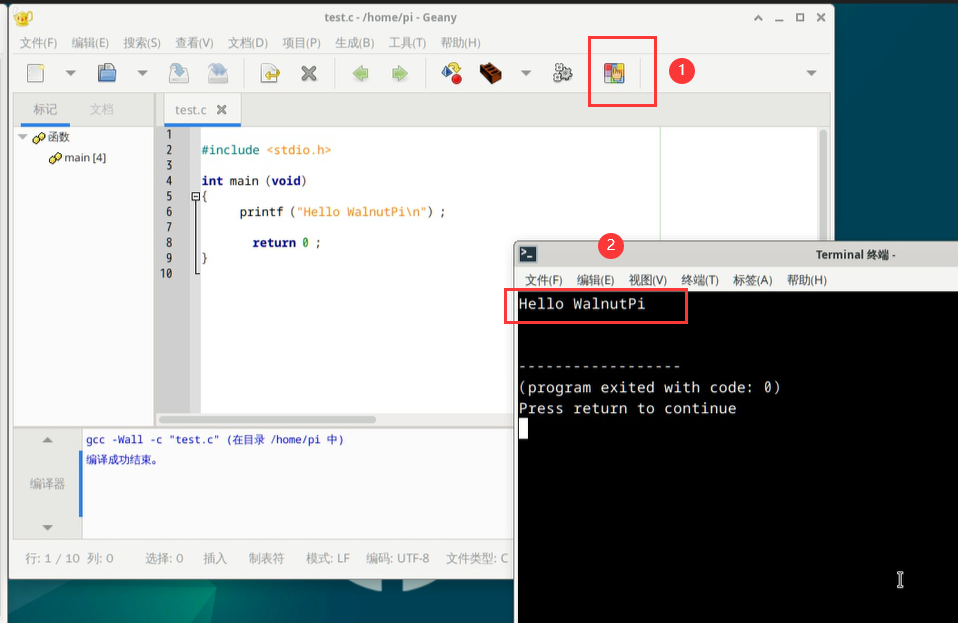
Click the Build button, and you will see the compilation result below. If the compilation is successful, an executable file will be generated in the current directory.
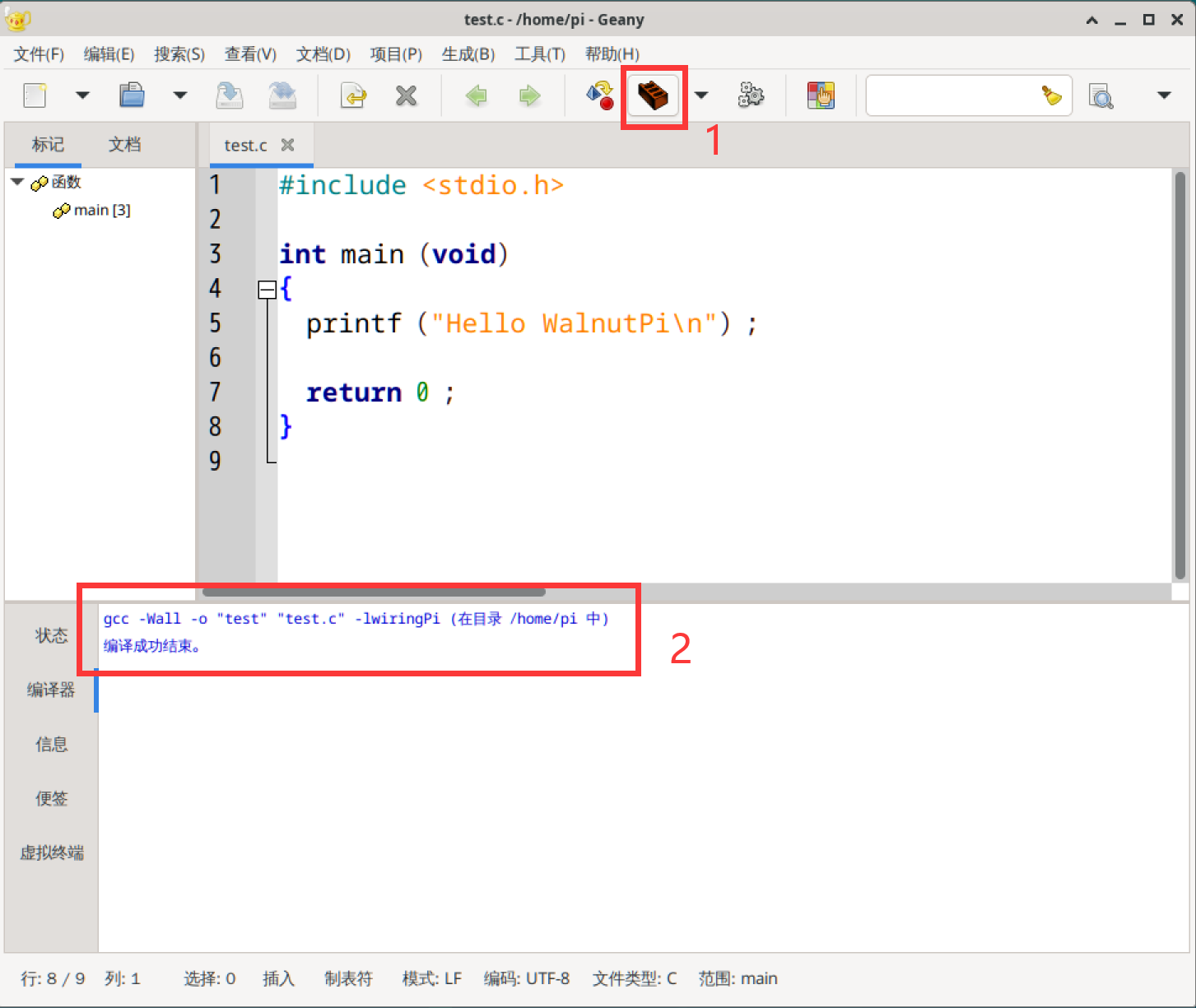
Click the Execute button to run the compiled executable. A new terminal will pop up, displaying "Hello WalnutPi".