MLX90614 Infrared Thermometer
Introduction
The MLX90614 is an infrared thermometer for non-contact temperature measurement, capable of measuring objects between -70°C and 380°C. This sensor uses an infrared-sensitive thermopile detector chip and can measure temperature with 0.02°C resolution within its range.
Objective
Use Python programming to implement non-contact temperature measurement with the MLX90614.
Explanation
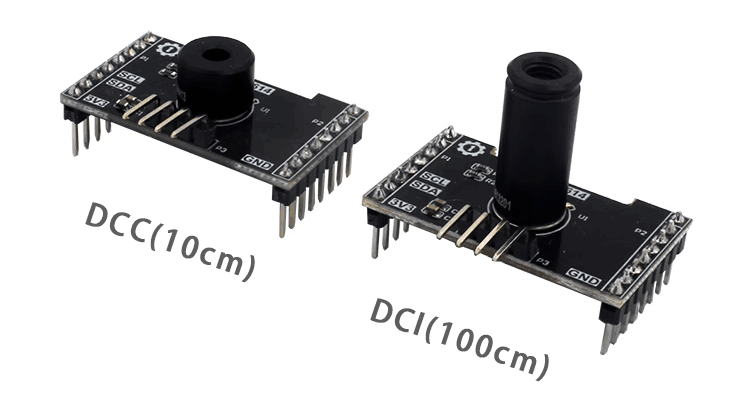
Most MLX90614 modules on the market are universal and communicate via the I2C bus. The image below shows an MLX90614 sensor module. There are two models: DCC (short range, 10cm) and DCI (long range, 100cm), and the code is universal for both.
| Module Parameters | |
|---|---|
| Supply Voltage | 3.3V |
| Measuring Distance | DCC (10cm) and DCI (100cm) |
| Measuring Range | -70°C - 382°C |
| Accuracy | 0.5°C |
| Communication | I2C bus (default address: 0x5a) |
| Pin Description | VCC: Connect to 3.3V GND: Ground SDA: I2C data pin SCL: I2C clock pin |
From the description above, we can see that the MLX90614 is a sensor driven via the I2C interface. We can communicate with this module by programming the WalnutPi's I2C interface.
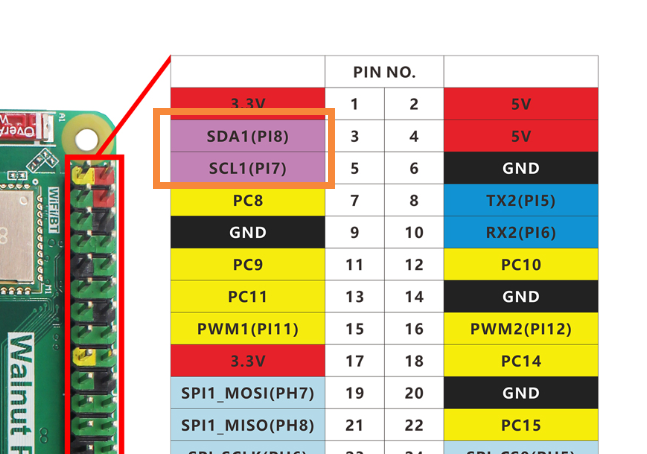
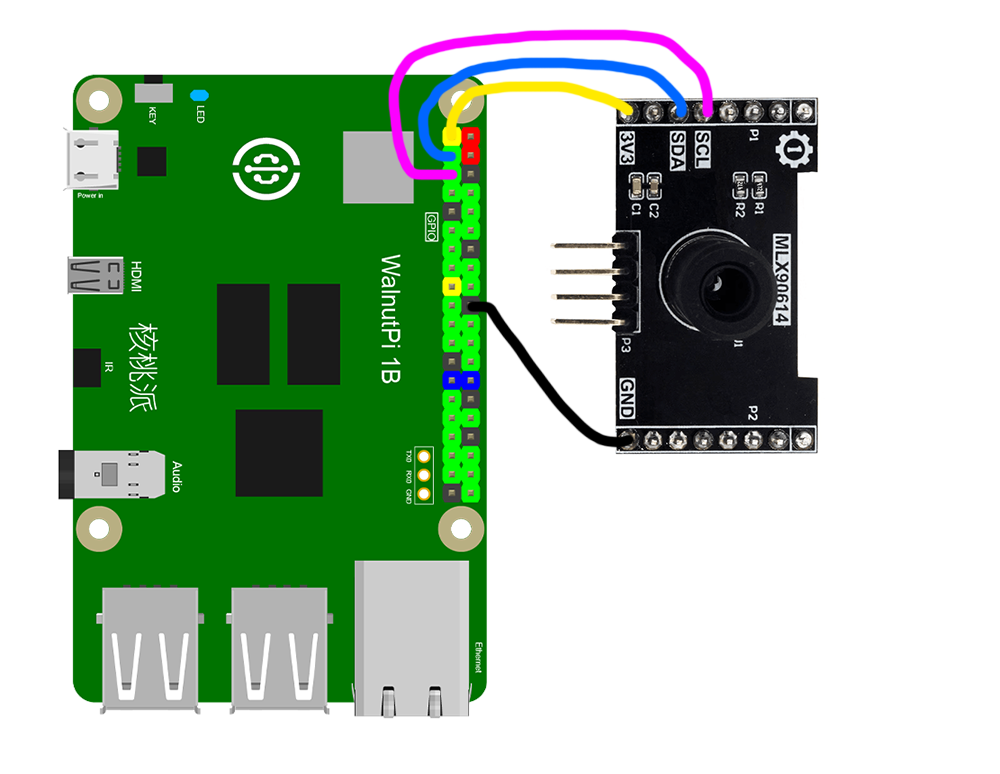
This routine uses the WalnutPi's I2C1 to connect the MLX90614 sensor:
The MLX90614 Object
In CircuitPython, you can directly use a pre-written Python library to obtain MLX90614 sensor data. Details are as follows:
Constructor
mlx = adafruit_mlx90614.MLX90614(i2c, address=0x5a)
Constructs an MLX90614 object.
Parameter description:
i2cRequires constructing an i2c object, refer to: I2C Object Description; not repeated here.addressModule I2C address. Default: 0x5a;
Methods
mlx.ambient_temperature
Reads ambient temperature, in °C, data type: float.
mlx.object_temperature
Reads object temperature, in °C, data type: float.
After understanding the MLX90614 sensor principles and object usage, we can organize the programming approach. The flowchart is as follows:
Reference Code
'''
Experiment Name: MLX90614 Infrared Thermometer
Experiment Platform: WalnutPi 1B
'''

import time, board, busio, adafruit_mlx90614

# Construct I2C object, controlled by WalnutPi I2C1
i2c = busio.I2C(board.SCL1, board.SDA1)

# Construct MLX90614 object
mlx = adafruit_mlx90614.MLX90614(i2c, address=0x5a)

while True:

    print("Ambent Temp: ", '%.2f'% mlx.ambient_temperature) # Measure ambient temperature
    print("Object Temp: ", '%.2f'% mlx.object_temperature) # Measure object temperature

    time.sleep(1)
Result
Connect the MLX90614 sensor to the WalnutPi as shown — SDA1 to module SDA pin, SCL1 to module SCL pin:
Since this code depends on other .py library files, you need to upload the entire example folder to the WalnutPi:
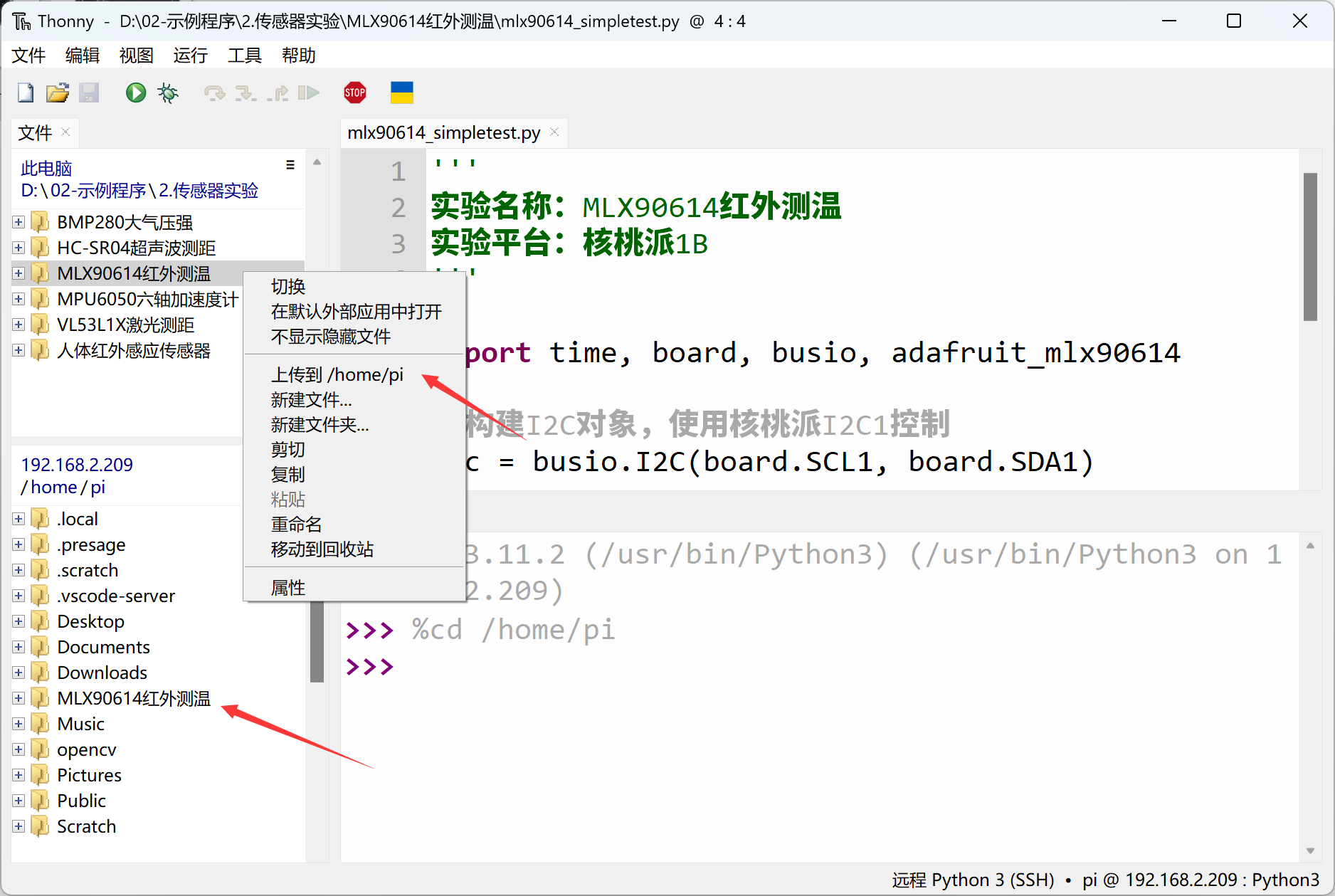
After successful transfer, you need to open and run the .py file from the remote directory (WalnutPi), because running it will import other library files in the folder. Therefore, running this type of code locally on a PC is ineffective.
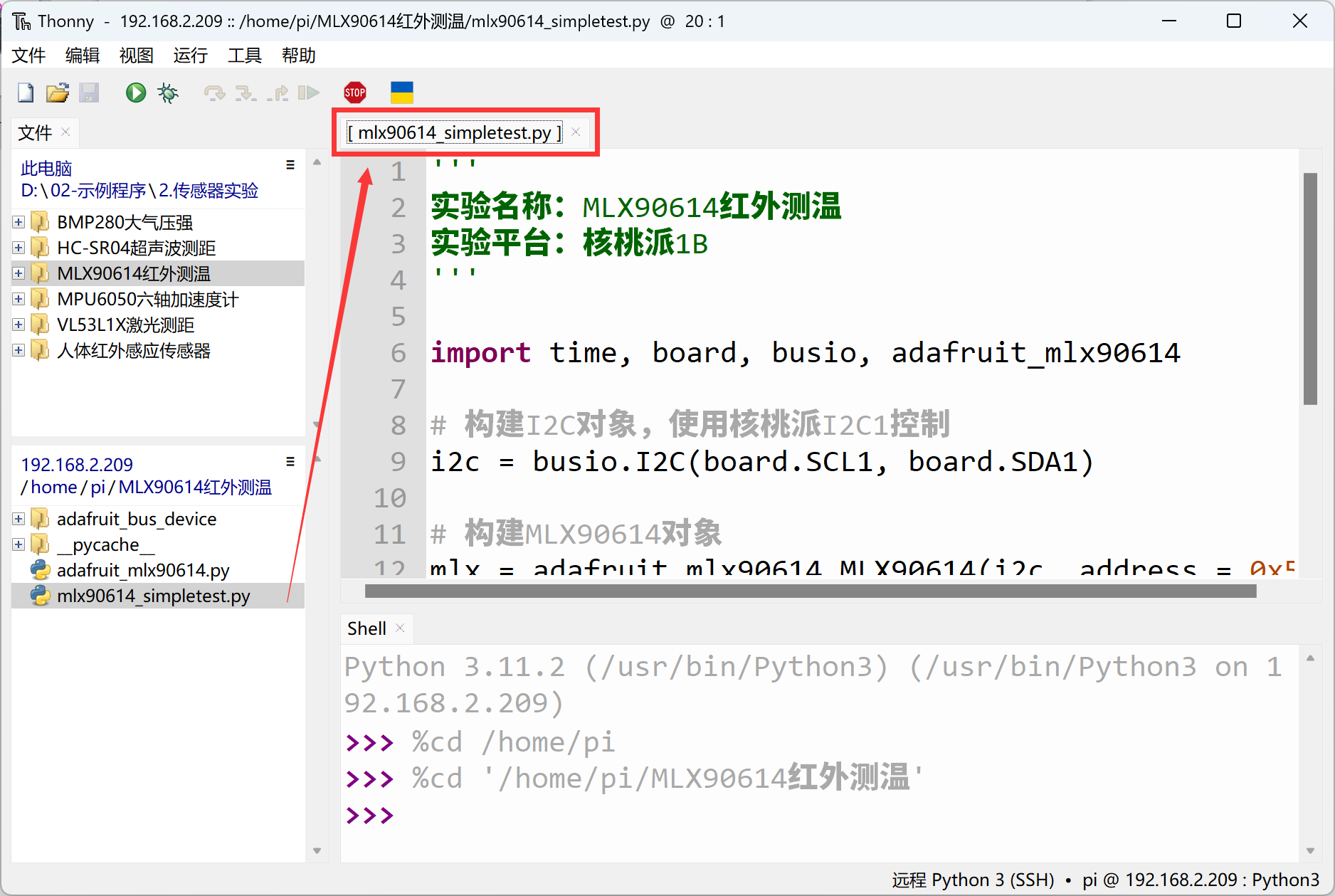
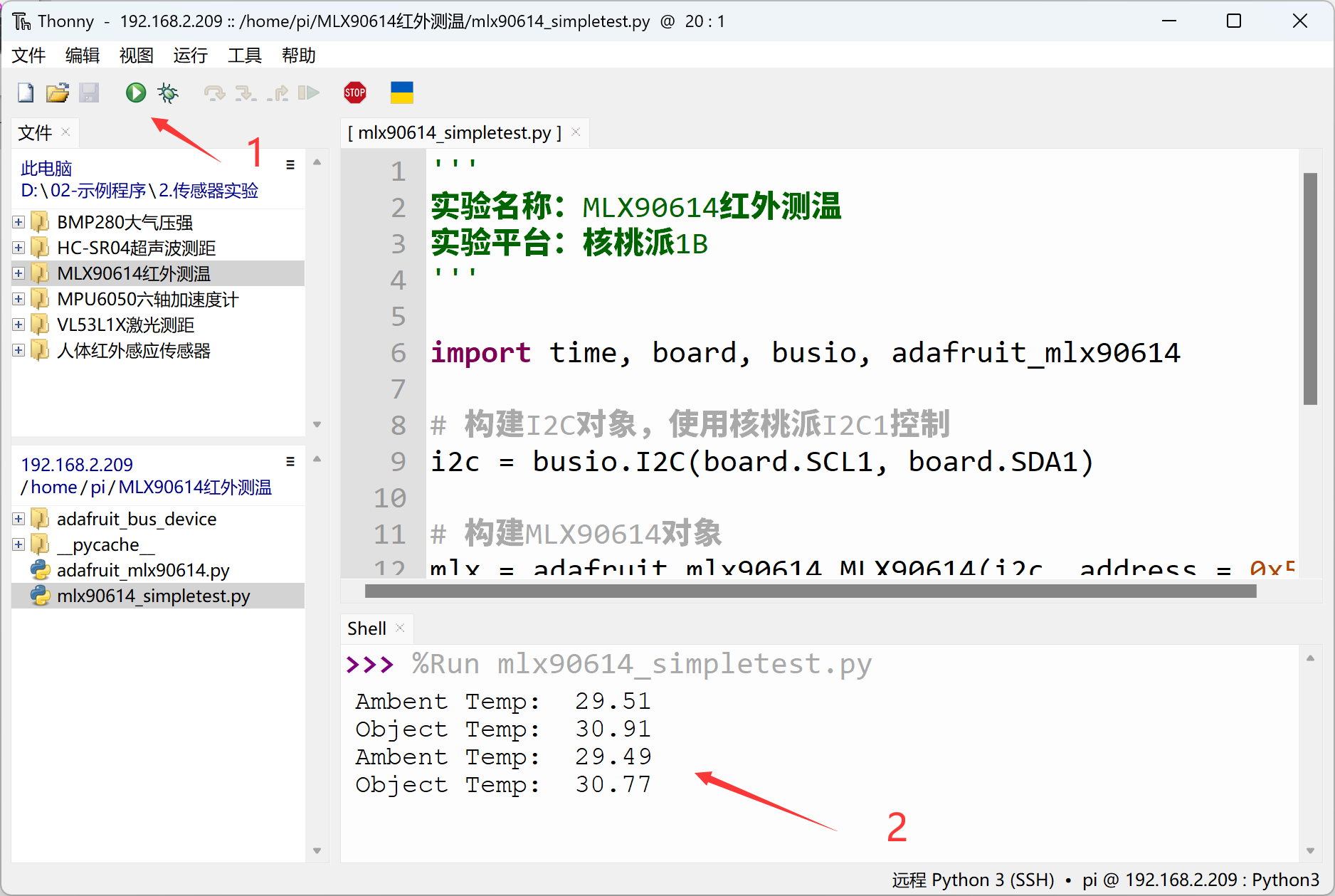
Use Thonny to remotely run the above Python code on the WalnutPi. For instructions on running Python code on the WalnutPi, please refer to: Running Python Code. After successful execution, the terminal will print ambient and object temperature information: