Font Settings
In the previous section, we learned the basic drawing of text. In this section, we will learn about font settings.
Font Object (QFont)
The font object is mainly used to set font size, style, etc.
| Common Font Methods | Description |
|---|---|
| setFamily() | Set font family |
| setPointSize() | Set font size |
| setBold() | Set bold. Parameter: True for bold, False for normal |
| setItalic() | Set italic. Parameter: True for italic, False for normal |
| setOverline() | Set text overline |
| setUnderline() | Set text underline |
| setStrikeOut() | Set text strikethrough |
Usage Example
Example: Enlarge and bold the font in the previous text writing example.
The implementation code is as follows:
# -*- coding: utf-8 -*-

# pyQT5 For WalnutPi

from PyQt5 import QtCore, QtGui, QtWidgets

from PyQt5.QtCore import Qt
from PyQt5.QtGui import QPainter, QFont
from PyQt5.QtWidgets import QWidget

class Window(QWidget):

    def __init__(self):
        super().__init__() # Also execute the parent QWidget's initialization
        self.setWindowTitle("WalnutPi Paint") # Set window title
        self.resize(480,320) # Set window size

        # Window background color setting
        self.setObjectName("Paint_Window")
        self.setStyleSheet("#Paint_Window{background-color: black}") # Black

    def paintEvent(self,event):

        painter=QPainter(self) # Create drawing object
        painter.setPen(Qt.green) # Set pen, green

        # Set font
        font = QFont()
        font.setFamily("YouYuan") # Font family
        font.setPointSize(50) # Size
        font.setBold(True) # Bold
        painter.setFont(font)

        # Write text
        painter.drawText(100, 100, "WalnutPi!")

#################
#   Main Program Code   #
#################
import sys

#【Optional Code】Allow Thonny remote execution
import os
os.environ["DISPLAY"] = ":0.0"

#【Optional Code】Fix display issues on monitors with 2K+ resolution
QtCore.QCoreApplication.setAttribute(QtCore.Qt.AA_EnableHighDpiScaling)

# Program entry point: build the window and display it
app = QtWidgets.QApplication(sys.argv)
window = Window() # Build window object
window.show() # Display window
#window.showFullScreen() # Fullscreen display window

#【Recommended Code】Allow terminal to interrupt window with ctrl+c for easier debugging
import signal
signal.signal(signal.SIGINT, signal.SIG_DFL)
timer = QtCore.QTimer()
timer.start(100)  # You may change this if you wish.
timer.timeout.connect(lambda: None)  # Let the interpreter run each 100 ms

sys.exit(app.exec_()) # Exit process when program closes
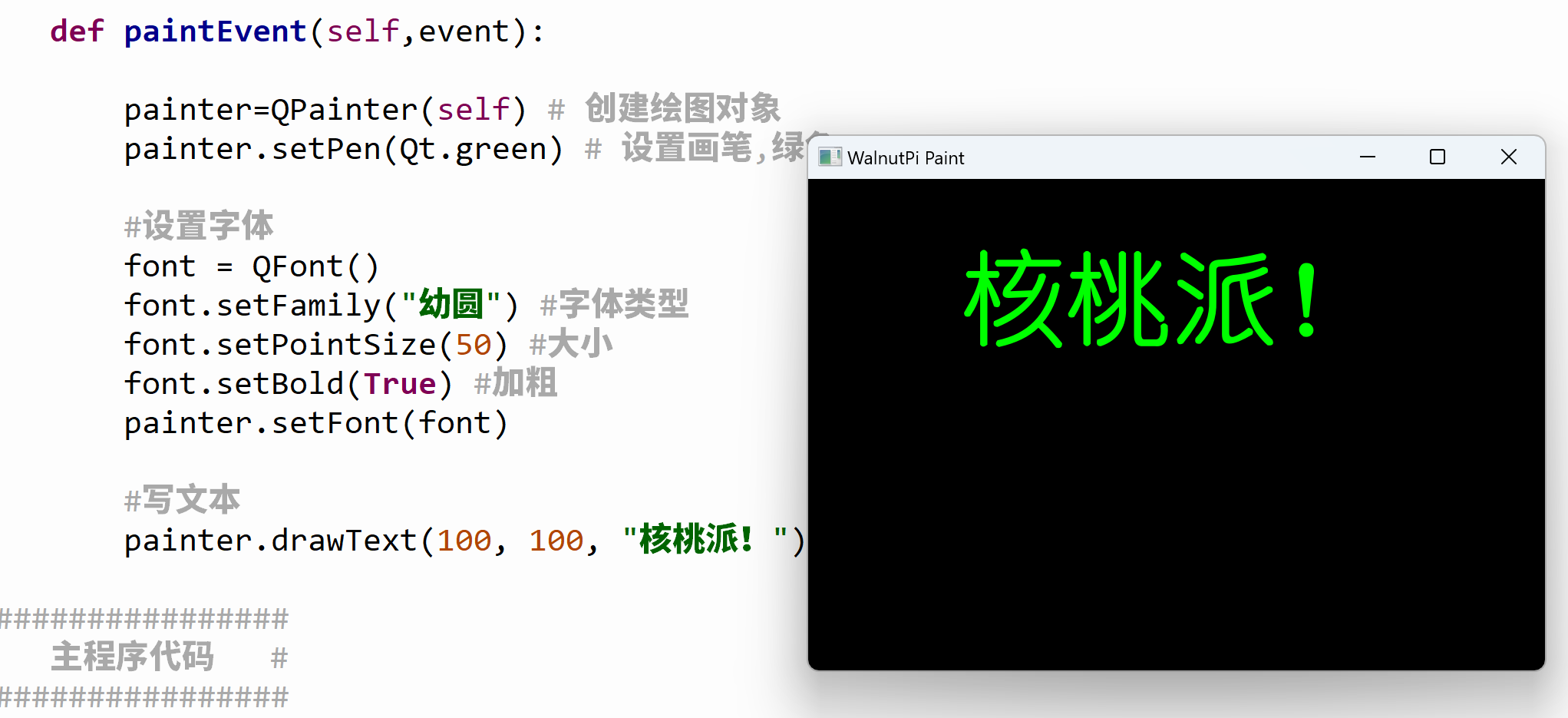
The main difference between this code and the previous one is the addition of font settings:
    def paintEvent(self,event):

        ...

        # Set font
        font = QFont()
        font.setFamily("YouYuan") # Font family
        font.setPointSize(50) # Size
        font.setBold(True) # Bold
        painter.setFont(font)
The result is as follows: