Using a USB Camera
The camera is like OpenCV's eyes. With a camera, you can process video streams and images captured by the camera in real time, implementing image processing and machine vision algorithms on them.
The WalnutPi system has built-in USB camera drivers. Most USB cameras on the market will work. The following model is used for demonstration here: Click to purchase →
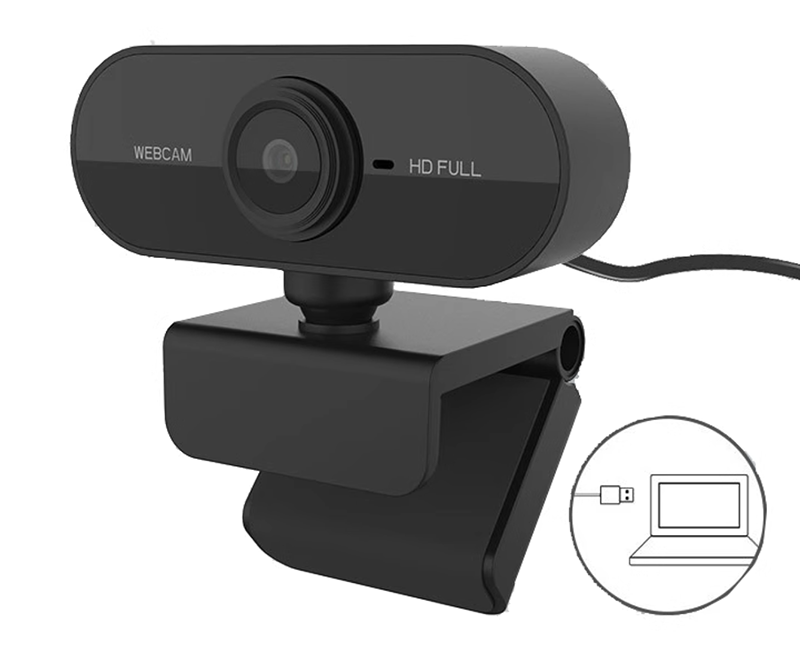
Simply plug it into one of the WalnutPi's USB ports.
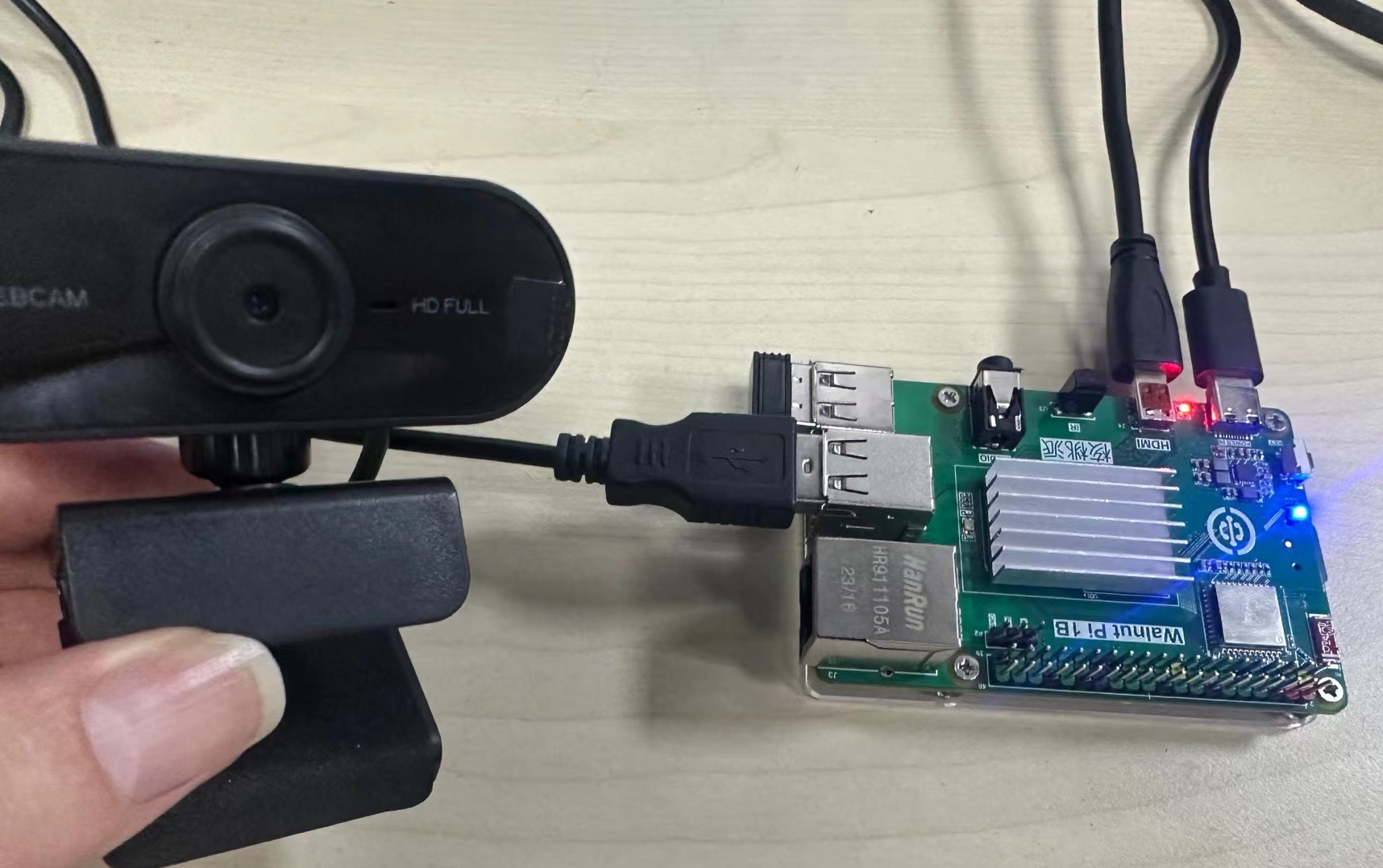
Getting USB Camera Device Information
First, use v4l2-ctl to view the current USB camera device information. This requires installing v4l. Most WalnutPi software can be installed via sudo apt install:
sudo apt install v4l-utils
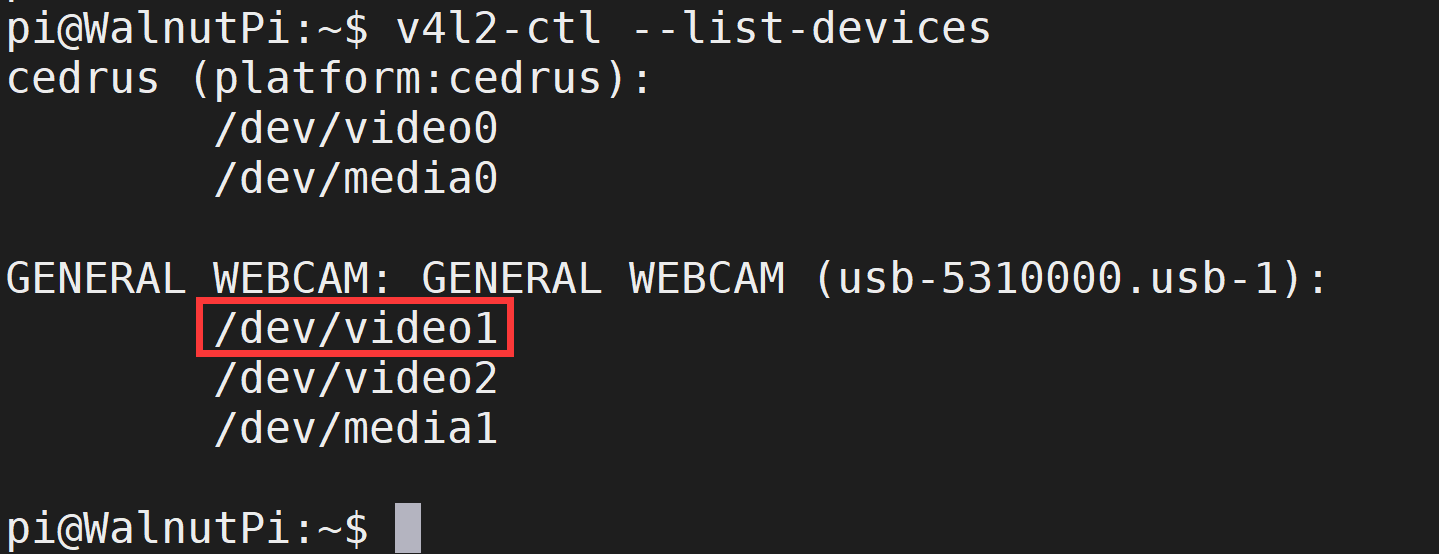
After installation, run the following command to view the inserted USB camera information:
v4l2-ctl --list-devices
You can see that this camera has multiple video devices, and usually the first one is used. Here it is: video1
Using the Camera with OpenCV
OpenCV can obtain the camera video stream using the VideoCapture() function. A camera video stream is essentially a sequence of frames (images). Therefore, by combining the previously learned image reading, displaying, and saving techniques, you can capture and display the camera's images (since it is fast, it looks like a video). The reference code is as follows:
'''
Experiment Name: Using a USB Camera
Experiment Platform: WalnutPi 1B
'''

import cv2

cam = cv2.VideoCapture(1) # Open the camera; make sure the device number is correct

while (cam.isOpened()): # Confirm it is opened

    retval, img = cam.read() # Read images from the camera in real time

    cv2.imshow("Video", img) # Display the captured images in a window

    key = cv2.waitKey(1) # The window image refresh interval is 1 millisecond to prevent blocking

    if key == 32: # If the spacebar is pressed, break out
        break

cam.release() # Close the camera
cv2.destroyAllWindows() # Destroy the window displaying the camera video
Run the code on the WalnutPi, and you can see the video images captured by the camera displayed in real time:
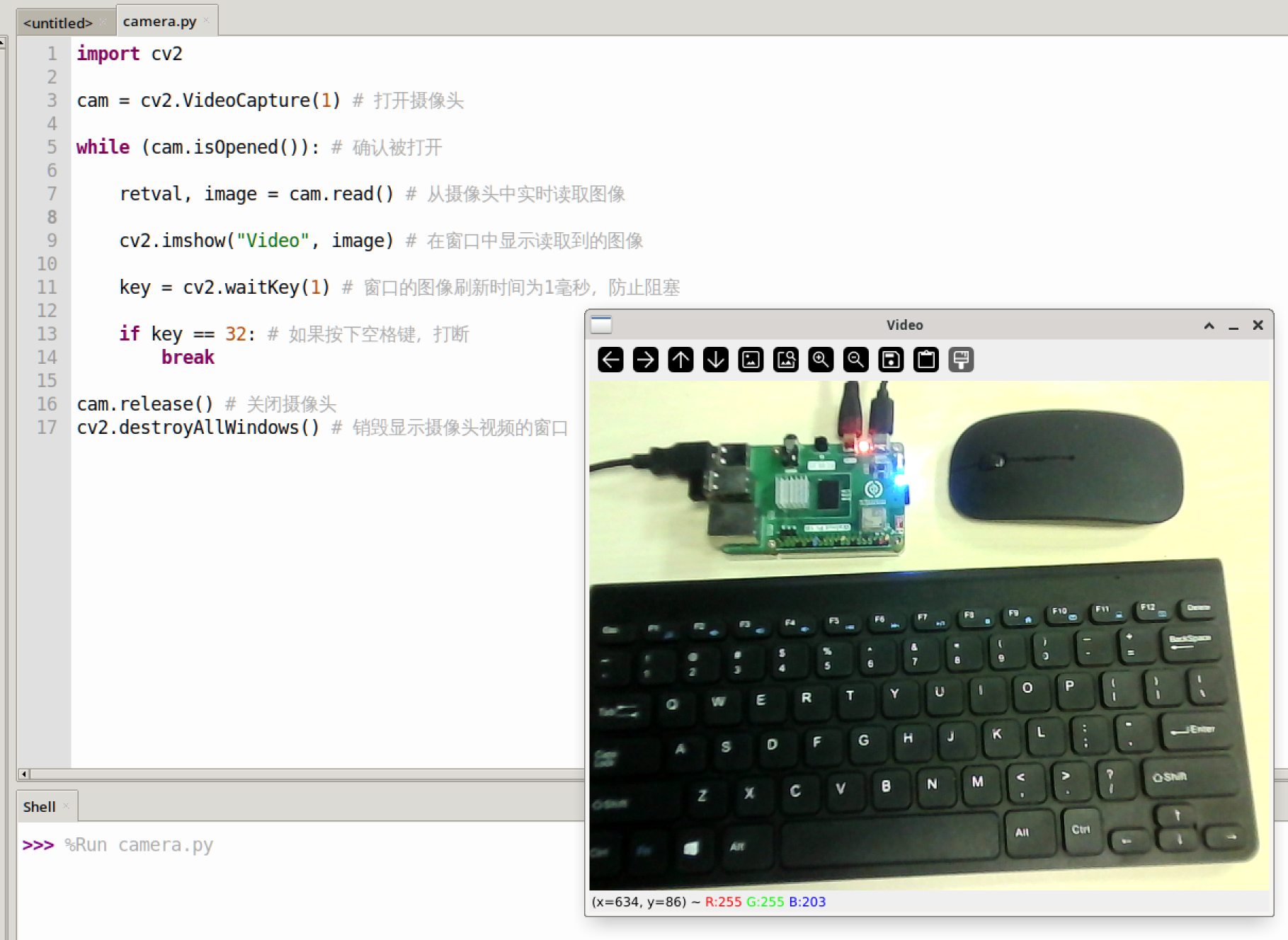
The img obtained in the code is each frame image, which can be used for all the OpenCV image processing operations we have learned previously.