Template Matching
Introduction
Template matching refers to finding a specified target object (or image) within an image. The principle is to compare and match the target image against the original image at each position sequentially, thereby finding the position of the target object (or image) within the image.

Experiment Objective
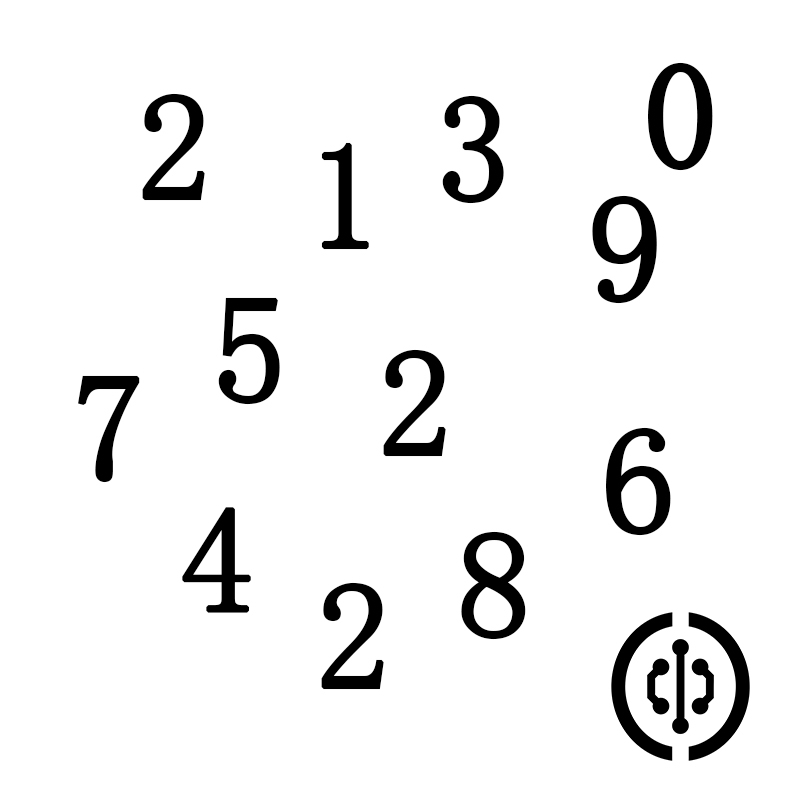
Use template matching to find a specified image (object) within an image. This experiment aims to find the digit "2" in the following image.
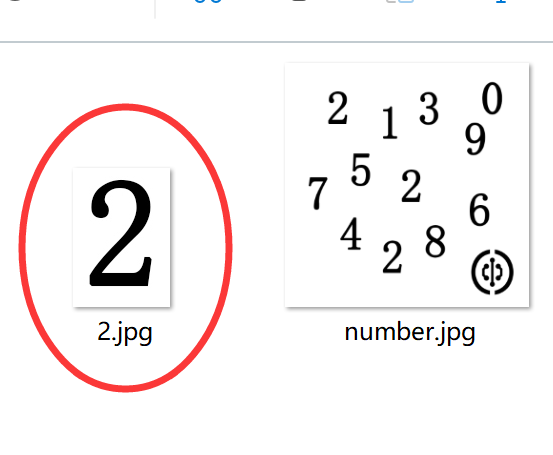
A cropped image of the digit "2" from the above image is used as the template image.
Experiment Explanation
The OpenCV Python library provides the matchTemplate() function for template matching. Practical applications include single-target matching and multi-target matching. Single-target matching finds only the closest match, while multi-target matching finds multiple approximate objects (or images) in an image.
matchTemplate() Usage
result = cv2.matchTemplate(image, templ, method, mask)
Template matching. Returns result as a two-dimensional array, which can be viewed by printing with code.
image: Original image.templ: Template image; its size must be smaller than or equal to the original image.method: Matching method.cv2.TM_SQDIFF: 0, Sum of Squared Differences matching (SSD matching). The higher the match, the smaller the result. A perfect match results in 0.cv2.TM_SQDIFF_NORMED: 1, Normalized Sum of Squared Differences matching. The higher the match, the smaller the result. A perfect match results in 0.cv2.TM_CCORR: 2, Correlation matching. The higher the match, the larger the result.cv2.TM_CCORR_NORMED: 3, Normalized correlation matching. The higher the match, the larger the result.cv2.TM_CCOEFF: 4, Correlation coefficient matching. The result is a floating-point number between -1 and 1. 1 indicates a perfect match, 0 indicates no match, -1 indicates the template and original image have opposite brightness.cv2.TM_CCOEFF_NORMED: 5, Normalized correlation coefficient matching. The result is a floating-point number between -1 and 1. 1 indicates a perfect match, 0 indicates no match, -1 indicates the template and original image have opposite brightness.
mask: Mask (optional parameter); it is recommended to use the default value.
Single-Target Matching
Single-target matching finds only one optimal result.
The matchTemplate() calculation result is a two-dimensional array. Single-target matching parses this array's coordinate values using the minMaxLoc() function.
minValue, maxValue, minLoc, maxLoc = cv2.minMaxLoc(src, mask)
Parameter descriptions:
src: Calculation result frommatchTemplate().mask: Mask (optional parameter); it is recommended to use the default value.
Return values:
minValue: Minimum value in the array.maxValue: Maximum value in the array.minLoc: Coordinates of the minimum value, in the format (x, y).maxLoc: Coordinates of the maximum value, in the format (x, y).
Using cv2.TM_SQDIFF_NORMED normalized squared differences matching as an example: the smaller the result, the higher the match. Therefore, minValue is the best matching result, and minLoc is the upper-left corner coordinate of the matching region, which has the same size as the template.
The single-target matching code flow is as follows:
Reference Code
The reference code is as follows:
'''
Experiment Name: Template Matching (Single Target)
Experiment Platform: WalnutPi 1B
'''

import cv2
import numpy as np

img = cv2.imread('number.jpg') # Read the original image
temp = cv2.imread('2.jpg') # Read the template image

h, w, c = temp.shape # Get template image information: height, width, number of channels

# Use normalized squared differences matching; the smaller the result, the higher the match
result = cv2.matchTemplate(img, temp, cv2.TM_SQDIFF_NORMED)

print(result) # Print the result

# Single-target matching calculation: minValue is the matching result, minLoc is the upper-left corner coordinate of the match
minValue, maxValue, minLoc, maxLoc = cv2.minMaxLoc(result)

# Draw a rectangle for display
p1 = minLoc # Upper-left corner coordinate of the rectangle
p2 = (p1[0] + w, p1[1] + h) # Lower-right corner coordinate of the rectangle
cv2.rectangle(img, p1, p2, (0, 0, 255),2)

cv2.imshow('result', img) # Display the image

cv2.waitKey() # Wait for any keyboard key to be pressed
cv2.destroyAllWindows() # Close the window
Experiment Results
Run the above code on the WalnutPi; the experiment results are as follows. You can see that the digit "2" template image is detected, and there is only one result (single target):
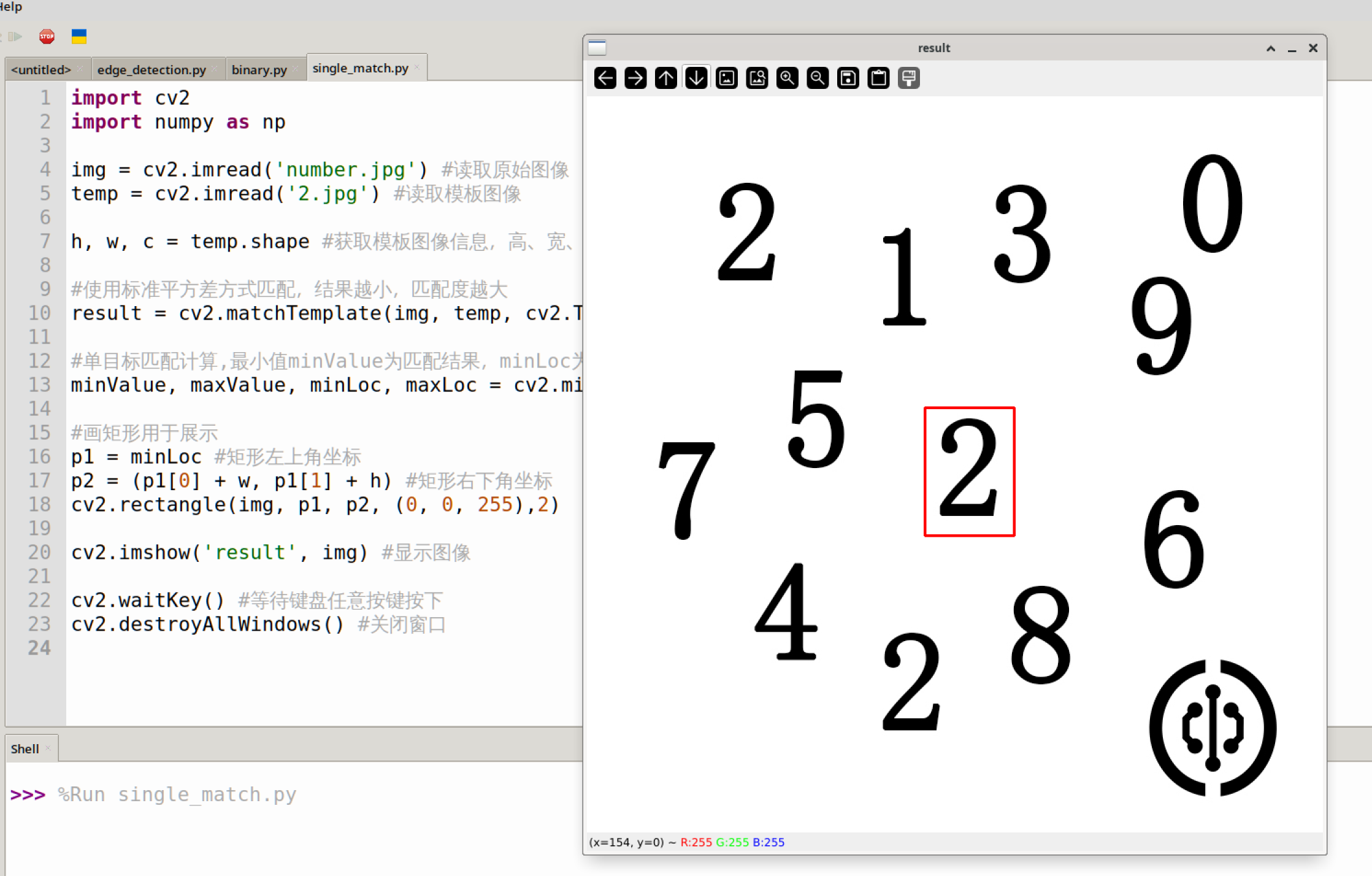
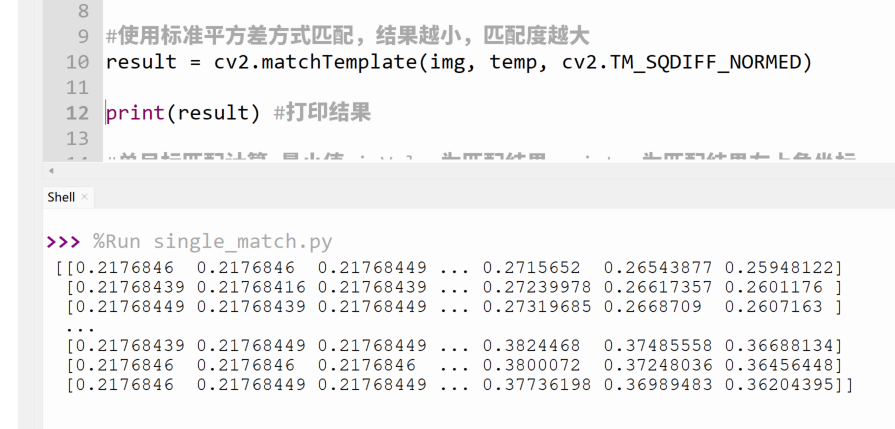
By printing the matching result, you can see that the matchTemplate() function's return result is essentially a bunch of numbers, and the minMaxLoc() function then finds the minimum value within this result.
Multi-Target Matching
Multi-target matching can find multiple results based on a specified parameter (recognition value).
The matchTemplate() calculation result is a two-dimensional array. Multi-target matching determines whether a target matches by comparing the correlation coefficient in each set of data from this result with a set value.
Here, we use cv2.TM_CCORR_NORMED normalized correlation matching: the larger the result, the higher the match. The code flow is as follows:
Reference Code
The reference code is as follows:
'''
Experiment Name: Template Matching (Multi Target)
Experiment Platform: WalnutPi 1B
'''

import cv2
import numpy as np

img = cv2.imread('number.jpg') # Read the original image
temp = cv2.imread('2.jpg') # Read the template image

h, w, c = temp.shape # Get template image information: height, width, number of channels

# Use normalized correlation matching; the larger the result, the higher the match
result = cv2.matchTemplate(img, temp, cv2.TM_CCORR_NORMED)

print(result) # Print the result

# Calculate matching results and draw rectangles
num = 0 # Used to count the number of matching results
for y in range(len(result)): # Iterate over each row
    for x in range(len(result[y])): # Iterate over each column

        if result[y][x] > 0.999: # Can be modified (must be less than 1); the larger the value, the higher the precision, and the fewer results obtained.

            cv2.rectangle(img, (x, y), (x+w, y+h), (0, 0, 255),2) # Draw a rectangle

            num = num + 1

print(num)  # Calculate the number of matching results; you can observe the count by modifying the parameter to 0.9 or 0.999.

cv2.imshow('result', img) # Display the result image

cv2.waitKey() # Wait for any keyboard key to be pressed
cv2.destroyAllWindows() # Close the window
Experiment Results
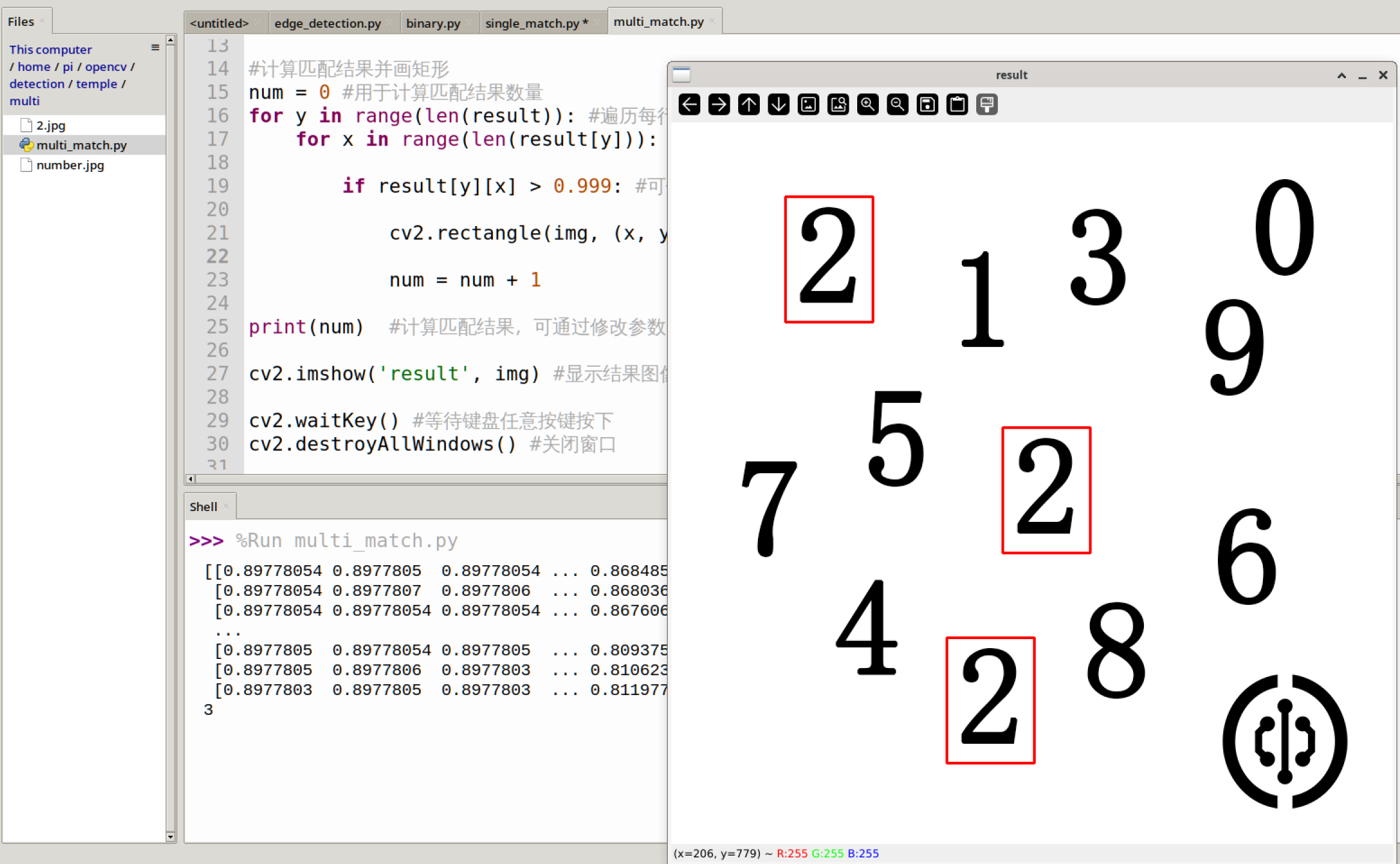
Run the above code on the WalnutPi; the experiment results are as follows. You can see that the digit "2" template image is detected: