Drawing Text
Drawing text is similar to drawing shapes — it only takes one function:
Function
drawText(x, y, "string")
Draw text.
x, y: Starting coordinatesstring: Text content
Programming Method
Let's implement text drawing through code:
We'll run the final code first, then explain:
# -*- coding: utf-8 -*-

# pyQT5 For WalnutPi

from PyQt5 import QtCore, QtGui, QtWidgets

from PyQt5.QtCore import Qt
from PyQt5.QtGui import QPainter,QPen,QBrush
from PyQt5.QtWidgets import QWidget

class Window(QWidget):

    def __init__(self):
        super().__init__() # Execute the parent QWidget's __init__ as well
        self.setWindowTitle("WalnutPi Paint") # Set window title
        self.resize(480,320) # Set window size

        # Window background color setting
        self.setObjectName("Paint_Window")
        self.setStyleSheet("#Paint_Window{background-color: black}") # Black

    def paintEvent(self,event):

        painter=QPainter(self) # Create drawing object
        painter.setPen(Qt.green) # Set pen, green

        # Draw text
        painter.drawText(100, 100, "WalnutPi!")


#################
#   Main Code    #
#################
import sys

# [Optional] Allow Thonny remote execution
import os
os.environ["DISPLAY"] = ":0.0"

# [Optional] Fix display issues on 2K+ resolution monitors
QtCore.QCoreApplication.setAttribute(QtCore.Qt.AA_EnableHighDpiScaling)

# Main program entry — build and display the window
app = QtWidgets.QApplication(sys.argv)
window = Window() # Create window object
window.show() # Show window
#window.showFullScreen() # Full-screen display

# [Recommended] Allow Ctrl+C to interrupt the window from terminal for easier debugging
import signal
signal.signal(signal.SIGINT, signal.SIG_DFL)
timer = QtCore.QTimer()
timer.start(100)  # You may change this if you wish.
timer.timeout.connect(lambda: None)  # Let the interpreter run each 100 ms

sys.exit(app.exec_()) # Exit the process when the window is closed
Run the code and you'll see the window as follows (the default font is a bit small — the next section will cover how to configure fonts):
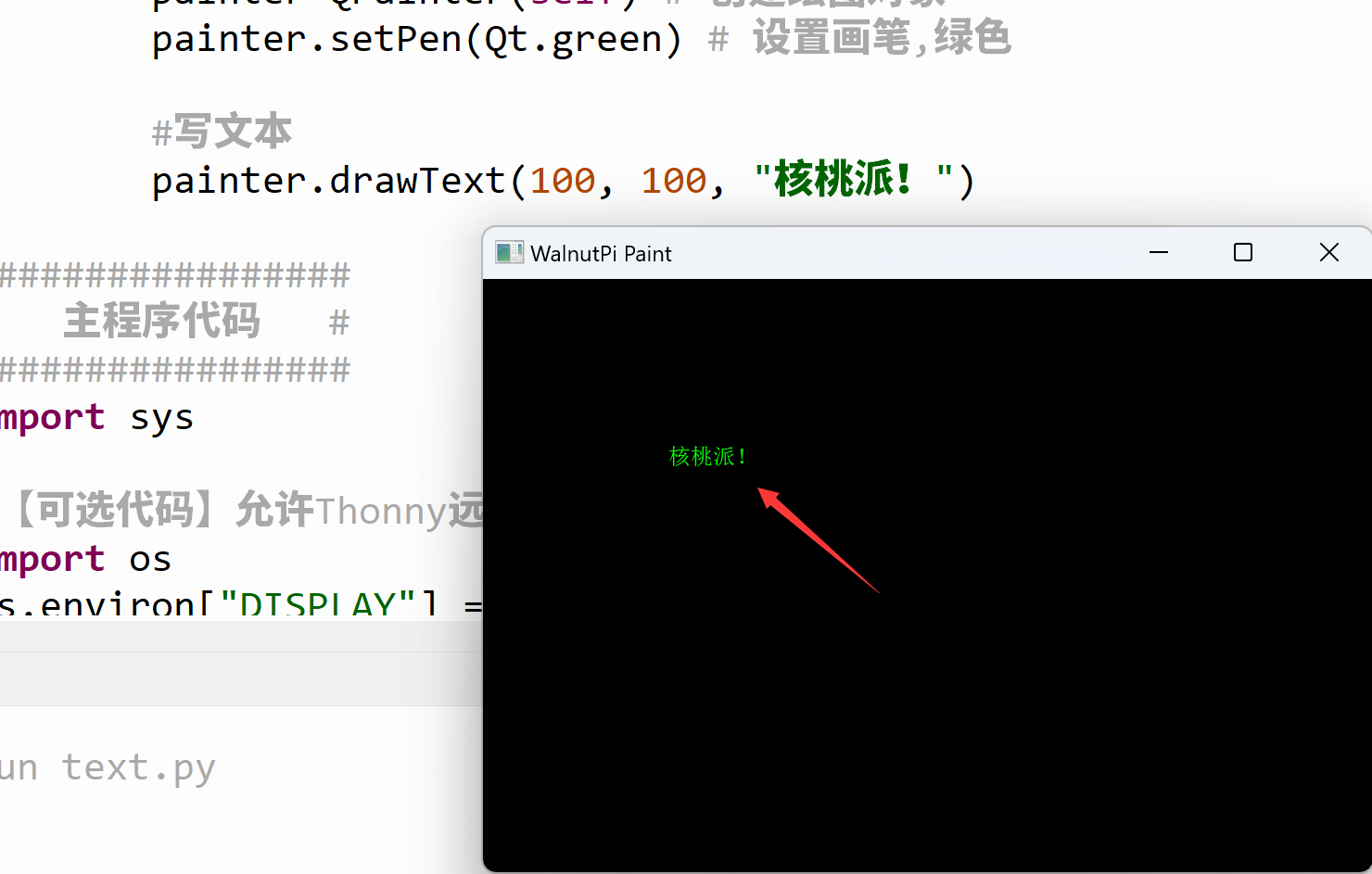
Now let's examine how the code works:
The main program entry code is similar to before — it creates a window:
# Main program entry — build and display the window
app = QtWidgets.QApplication(sys.argv)
window = Window() # Create window object
window.show() # Show window
The newly created window initializes the window title and size, and also sets the background color to black for better visibility of the result:
class Window(QWidget):

    def __init__(self):
        super().__init__() # Execute the parent QWidget's __init__ as well
        self.setWindowTitle("WalnutPi Paint") # Set window title
        self.resize(480,320) # Set window size

        # Window background color setting
        self.setObjectName("Paint_Window")
        self.setStyleSheet("#Paint_Window{background-color: black}") # Black
def paintEvent(self,event): is a fixed-form method — it is automatically called after the window is constructed. So all QPainter object initialization and drawing functions are placed inside it:
    def paintEvent(self,event):

        painter=QPainter(self) # Create drawing object
        painter.setPen(Qt.green) # Set pen, green

        # Draw text
        painter.drawText(100, 100, "WalnutPi!")