Introduction to Cascade Classifiers
A cascade classifier can be understood as a pre-fabricated model file that OpenCV uses for visual recognition.
For example, to detect a person's eyes in an image containing both people and cats, you need to distinguish between cats and people. A cat has 4 legs and a person has 2 legs; different leg-count classifiers can be used to differentiate cats from people. Then, on the human body, a second classifier can distinguish eyes from ears, thereby achieving the goal of eye detection. Two classifiers are used here, and connecting these classifiers in a specific sequence creates a cascade classifier.
Cascade Classifier File Path
OpenCV officially provides some cascade classifier files. After installing via pip on the WalnutPi, they are located in the following directory (files ending in .xml are the classifiers):
/home/pi/.local/lib/python3.11/site-packages/cv2/data
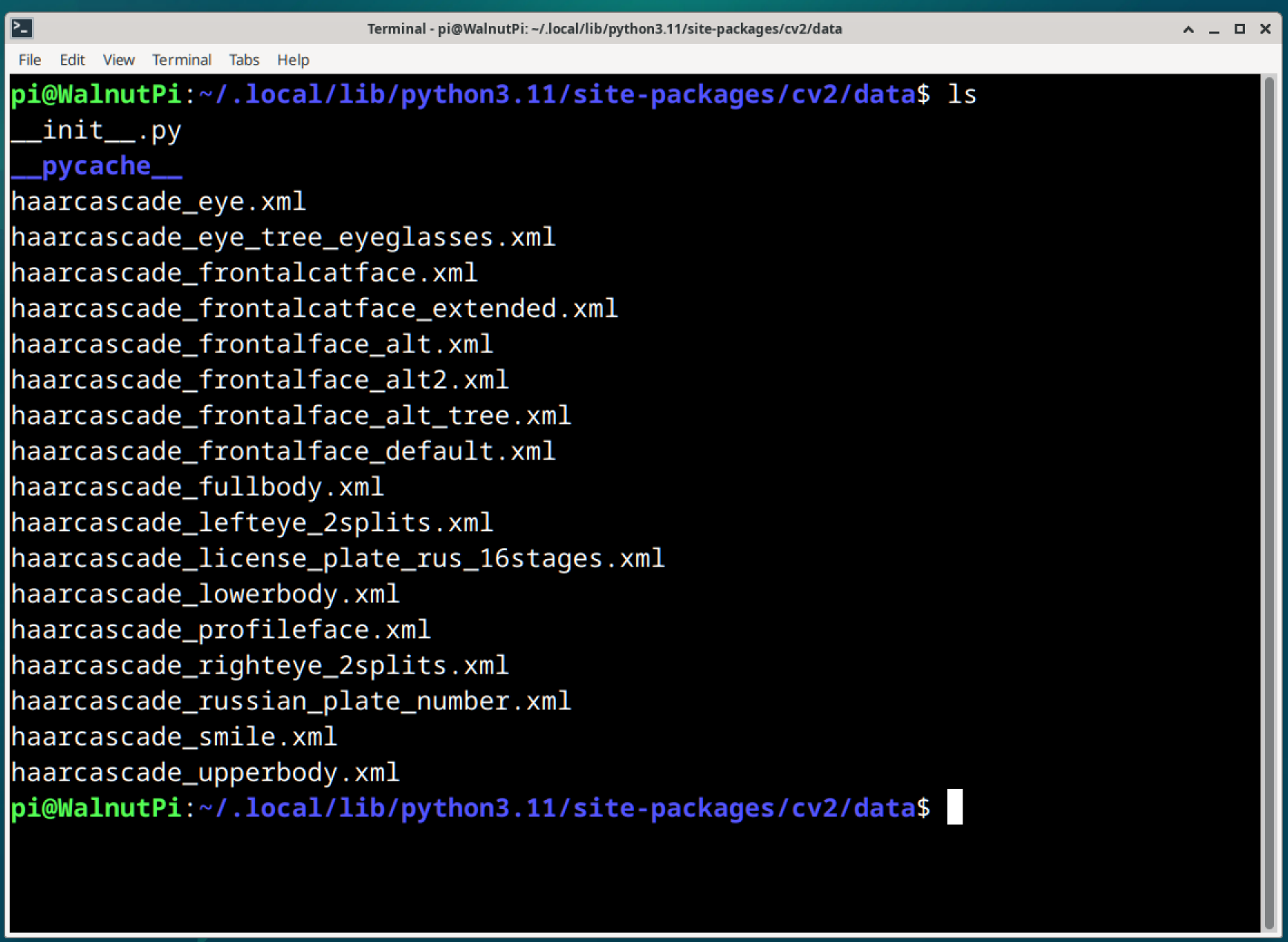
You can also obtain them from GitHub: https://github.com/opencv/opencv/tree/4.x/data/haarcascades
Below are descriptions of commonly used cascade classifiers:
haarcascade_fullbody.xml: Human body detection;haarcascade_upperbody.xml: Upper body detection;haarcascade_lowerbody.xml: Lower body detection;haarcascade_frontalface_default.xml: Frontal face detection;haarcascade_profileface.xml: Profile face detection;haarcascade_eye.xml: Eye detection;haarcascade_lefteye_2splits.xml: Left eye detection;haarcascade_righteye_2splits.xml: Right eye detection;haarcascade_eye_tree_eyeglasses.xml: Eyeglasses detection;haarcascade_smile.xml: Smile detection;haarcascade_frontalcatface.xml: Frontal cat face detection;haarcascade_russian_plate_number.xml: License plate detection;
How to Use
Using a cascade classifier is relatively simple — you just need to load the cascade classifier and use it to recognize images.
Loading a Cascade Classifier
<CascadeClassifier object> = cv2.CascadeClassifier(filename)
Returns the classifier object.
filename: Cascade classifier XML file;
Using the Classifier to Recognize Objects
objects = cascade.detectMultiScale(image, scaleFactor, minNeighbors, flags, minSize, maxSize)
Returns objects as an array of target regions. Each target contains 4 values: upper-left corner x-coordinate, upper-left corner y-coordinate, width, and height.
image: The image to be recognized;scaleFactor: Scaling ratio when scanning the image (optional parameter);minNeighbors: The larger this value, the smaller the analysis error (optional parameter);flags: Use the default value (optional parameter);minSize: Minimum target size (optional parameter);maxSize: Maximum target size (optional parameter);
In the following content, we will use the above cascade classifiers to implement various visual recognition scenarios.