License Plate Detection
Introduction
This section teaches how to use OpenCV to detect the position of license plates in an image (detection only, not recognition).
Experiment Objective
Detect license plate positions in an image and draw rectangular boxes for display.
Experiment Explanation
Using the cascade classifier method introduced earlier, this section uses the license plate detection cascade classifier haarcascade_russian_plate_number.xml. The code flow is as follows:
Reference Code
The reference code is as follows:
import cv2

img = cv2.imread('car.png') # Read the image

# Load the license plate detection cascade classifier; note: the path must not contain Chinese characters
plateFaceCascade = cv2.CascadeClassifier('data/haarcascade_russian_plate_number.xml')

# Detect all license plates
plates = plateFaceCascade.detectMultiScale(img, 1.15)

# Iterate over all results
for (x, y, w, h) in plates:
    cv2.rectangle(img, (x, y), (x+w, y+h), (0, 0, 255), 3) # Draw a box

cv2.imshow('result', img) # Display the image

cv2.waitKey() # Wait for any keyboard key to be pressed
cv2.destroyAllWindows() # Close the window
Experiment Results
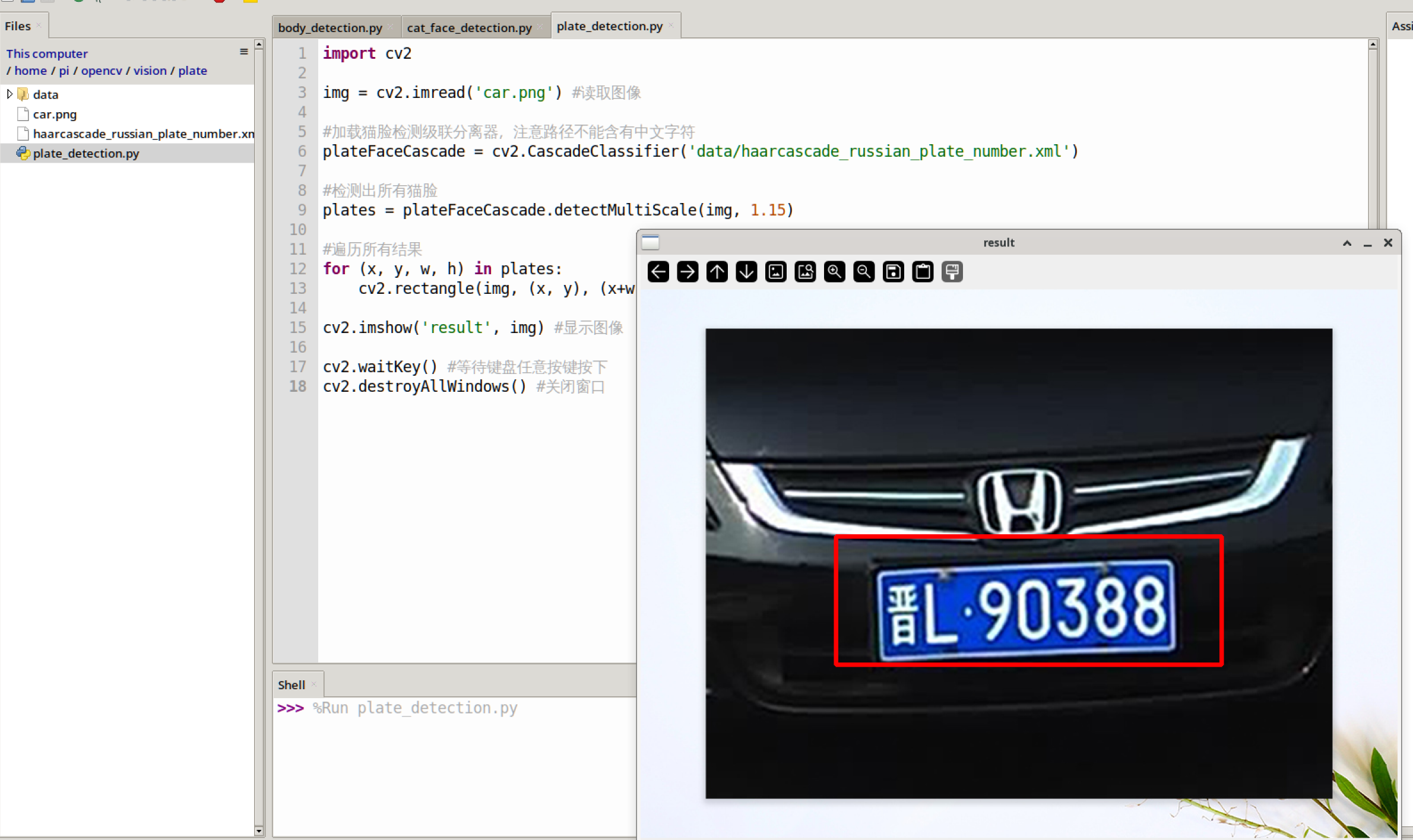
Run the above code on the WalnutPi; the experiment results are as follows:
Using a USB Camera for Recognition
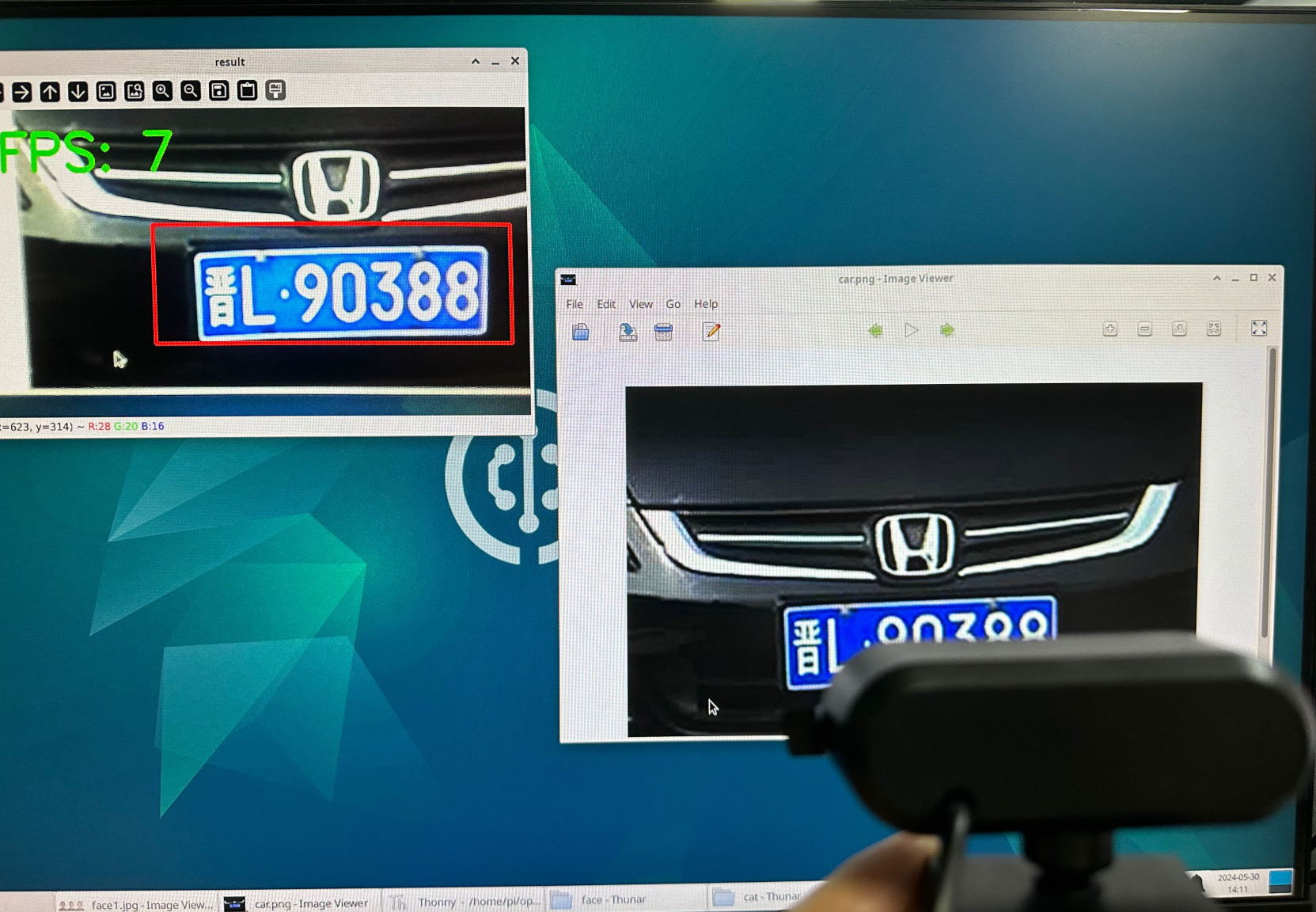
Combined with the USB camera usage method introduced earlier, you can perform real-time recognition via a USB camera. The reference code is as follows:
Reference Code
import cv2, time

# Load the license plate detection cascade classifier; note: the path must not contain Chinese characters
plateFaceCascade = cv2.CascadeClassifier('data/haarcascade_russian_plate_number.xml')

cam = cv2.VideoCapture(1) # Open the USB camera

# Lowering the resolution can improve recognition speed; you can set it to 480×320 or 320×240
cam.set(3,480) # Set the captured image width to 480
cam.set(4,320) # Set the captured image height to 320

# Calculate FPS (frames per second parameter)
start = 0
end = 0

while True:

    start = time.time() # Record the start time

    retval, img = cam.read() # Read images from the camera in real time

    # Detect all license plates
    plates = plateFaceCascade.detectMultiScale(img, 1.15)

    # Iterate over all results
    for (x, y, w, h) in plates:
        cv2.rectangle(img, (x, y), (x+w, y+h), (0, 0, 255), 3) # Draw a box

    end = time.time() # Record the end time

    # Calculate FPS (frames per second), round to integer
    fps = round(1/(end-start))
    print('FPS: ', fps)

    # Write text on the image
    cv2.putText(img, "FPS: "+ str(fps), (20, 70), cv2.FONT_HERSHEY_SIMPLEX, 2, (0, 255, 0), 5)

    cv2.imshow('result', img) # Display the image

    key = cv2.waitKey(1) # The window image refresh interval is 1 millisecond to prevent blocking
    if key == 32: # If the spacebar is pressed, break out
        break

cam.release() # Close the camera
cv2.destroyAllWindows() # Destroy the window displaying the camera video
Experiment Results