Binarization
Introduction
We previously learned about grayscale image transformation. Compared to color images, grayscale images have the advantage of containing less information, with single-channel values from 0 to 255 enabling faster processing speeds. Binarization in this section further processes grayscale images: values below a certain threshold are converted to 0 (pure black), and values above the threshold are converted to 255 (pure white). This more clearly preserves the main contours of the image.
Experiment Objective
Perform binarization processing on an image.
Experiment Explanation
The OpenCV Python library provides the threshold() function for threshold processing, thereby implementing image binarization.
threshold() Usage
retval, img = cv2.threshold(src, thresh, maxval, type)
Threshold processing. Returns retval as the threshold value used during processing; returns img as the image after threshold processing.
src: Original image.thresh: Threshold value, typically between 125 and 150.maxval: Maximum value used in threshold processing, typically 255.type: Processing type.cv2.THRESH_BINARY: Binary threshold processing.cv2.THRESH_BINARY_INV: Inverse binary threshold processing.cv2.THRESH_TOZERO: Below-threshold zero processing.cv2.THRESH_TOZERO_INV: Above-threshold zero processing.cv2.THRESH_TRUNC: Truncation threshold processing.
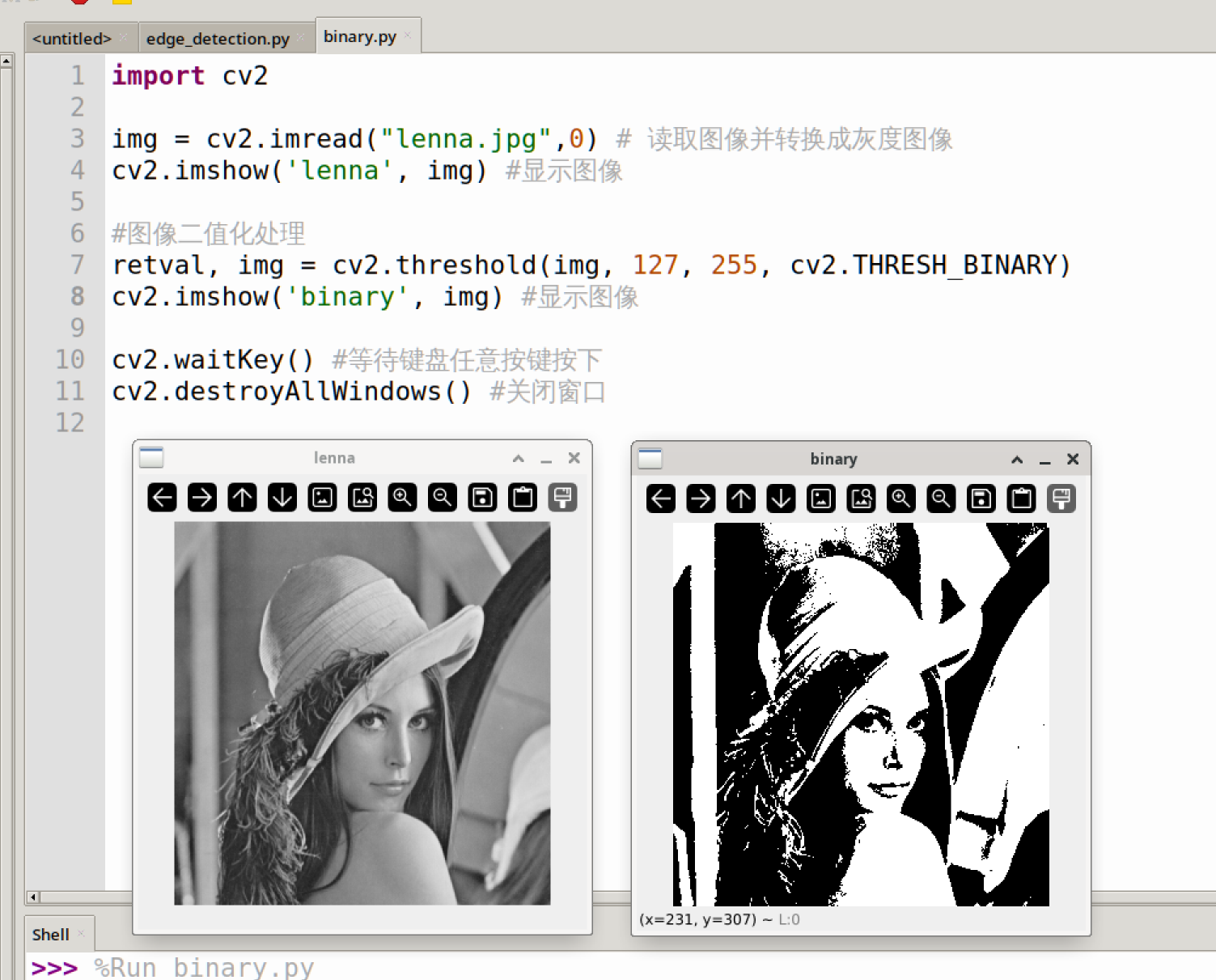
This experiment uses cv2.THRESH_BINARY binary threshold processing to achieve image binarization. With the threshold thresh = 127 and the maximum value maxval = 255, pixels in the image with values < 127 will be changed to 0, and those > 127 will be changed to 255, turning it into a purely black-and-white image.
The code flow is as follows:
The reference code is as follows:
'''
Experiment Name: Image Binarization
Experiment Platform: WalnutPi 1B
'''

import cv2

img = cv2.imread("lenna.jpg",0) # Read the image and convert to grayscale
cv2.imshow('lenna', img) # Display the image

# Binarize the image
retval, img = cv2.threshold(img, 127, 255, cv2.THRESH_BINARY)
cv2.imshow('binary', img) # Display the image

cv2.waitKey() # Wait for any keyboard key to be pressed
cv2.destroyAllWindows() # Close the window
Experiment Results
Run the above code on the WalnutPi; the experiment results are as shown below (multiple windows may overlap — use the mouse to drag them apart):