YOLO11 Oriented Detection
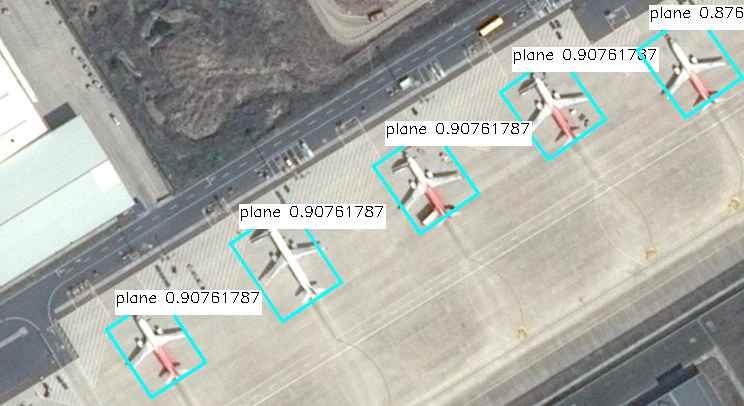
This model finds all annotated object types in an image. In addition to the detection model's capabilities, it also detects the rotation angle of the object detection box.
Prepare Model File
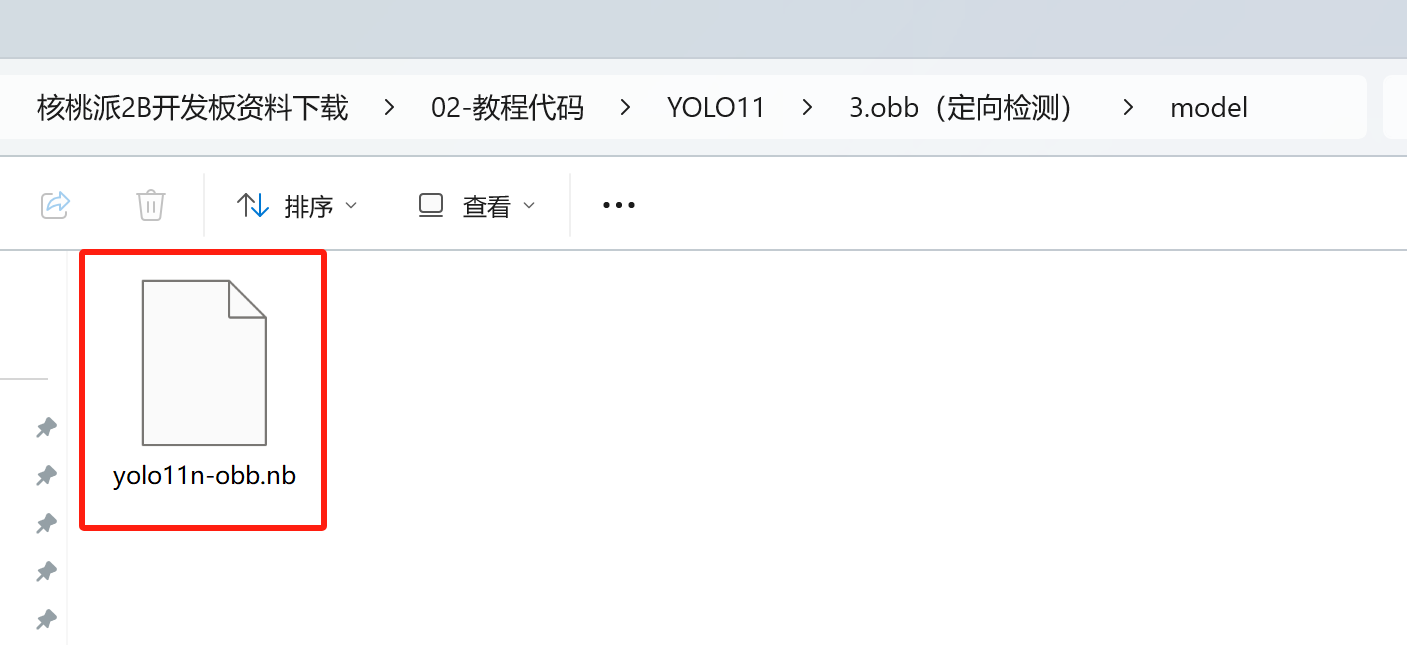
The program package we provide includes a file named yolo11n-obb.nb, which is the model file for running YOLO11 oriented detection on the WalnutPi 2B (T527) NPU.
If you want to try converting the model yourself, refer to: Model Conversion Tutorial
Install OpenCV
This tutorial requires the OpenCV library. For installation instructions, refer to: OpenCV Installation
Run Model with Python
WalnutPi 2B v1.3.0 and above provides a packaged YOLO11 Python library.
1. Instantiate yolo11 Class
Instantiate the YOLO11_OBB class by passing the model file path:
from walnutpi import YOLO11

yolo = YOLO11.YOLO11_OBB("model/yolo11n-obb.nb")
2. Run Model - Blocking Mode
Use the run method to run the model and get detection results. It takes 3 parameters:
- Image data, read using OpenCV's image reading method
- Confidence threshold, only detection boxes above this confidence will be returned
- Detection box overlap threshold, the model often hits multiple boxes around an object. If the area overlap between boxes exceeds this value, only the box with the highest confidence is kept, and other overlapping boxes are removed
# Read image
import cv2
img = cv2.imread("image/plane.jpg")

# Detect
boxes = yolo.run(img, 0.5, 0.1)
3. Run Model - Non-blocking Mode
Use the run_async method, which creates a thread to run the model and returns immediately. It takes 3 parameters:
- Image data, read using OpenCV's image reading method
- Confidence threshold, only detection boxes above this confidence will be returned
- Detection box overlap threshold, the model often hits multiple boxes around an object. If the area overlap between boxes exceeds this value, only the box with the highest confidence is kept, and other overlapping boxes are removed
Non-blocking mode works with the is_running property, which has a value of true or false, indicating whether a run_async model thread is running in the background. If a thread is already running, calling run_async again won't start a new thread. You can also use this property to check if the model thread has finished and results are ready.
Use the get_result() method to return the background recognition result, which is the same as what the blocking run method returns:
import cv2
img = cv2.imread("image/plane.jpg")

yolo.run_async(img, 0.5, 0.1)
while yolo.is_running:
    time.sleep(0.1)
boxes = yolo.get_result()
4. Detection Results
Both the run method and get_result method return a list. If nothing is detected in the image, an empty list is returned. Each value in the list represents a detected box, and each box object contains the following properties:
| Property | Description |
|---|---|
| x | x-coordinate of the detection box center |
| y | y-coordinate of the detection box center |
| w | Width of the detection box |
| h | Height of the detection box |
| reliability | Confidence of the detection box, e.g., 0.78 |
| label | Label of the detection box |
| angle | Rotation angle of the detection box |
Note that label is a number. For example, the official YOLO model was trained with 15 annotated types, so the detected label property will be 0-14.
Each detection box object contains the following methods for calculating the coordinates of the four corners of the rotated detection box:
| Method | Description |
|---|---|
| get_top_left | Get the rotated top-left corner coordinates |
| get_bottom_left | Get the rotated bottom-left corner coordinates |
| get_top_right | Get the rotated top-right corner coordinates |
| get_bottom_right | Get the rotated bottom-right corner coordinates |
The following code can be used to output all detected box information:
print(f"boxes: {boxes.__len__()}")
for box in boxes:
    print(
        "{:f} ({:4d},{:4d} r{:f} ) w{:4d} h{:4d} {:d}".format(
            box.reliability,
            box.x,
            box.y,
            box.angle,
            box.w,
            box.h,
            box.label,
        )
    )
Example Programs
Image-Based
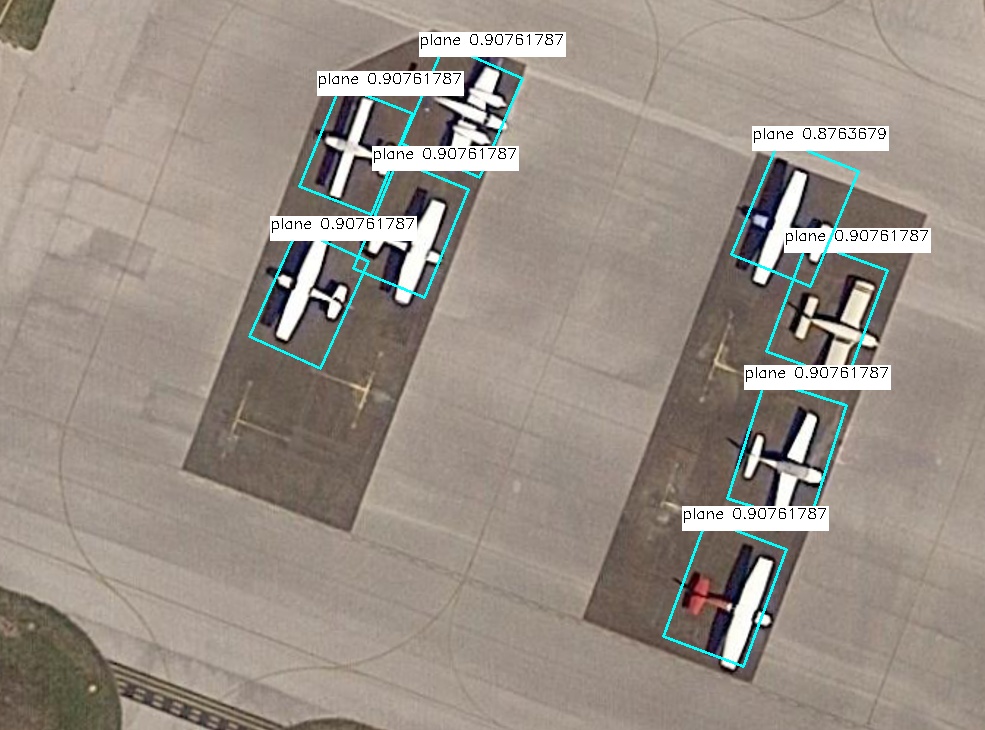
Read an image for detection and save the results.
'''
Experiment Name: YOLO11 Oriented Detection
Experiment Platform: WalnutPi 2B
Description: Image-based
'''

from walnutpi import YOLO11
import dataset_dota
import cv2

# [Optional] Allow Thonny remote execution
import os
os.environ["DISPLAY"] = ":0.0"

model_path = "model/yolo11n-obb.nb"
picture_path = "image/plane.jpg"
output_path = "result.jpg"

# Detect image
yolo = YOLO11.YOLO11_OBB(model_path)
boxes = yolo.run(picture_path, 0.6, 0.1)

# Output detection results
print(f"boxes: {boxes.__len__()}")
for box in boxes:
    print(
        "{:f} ({:4d},{:4d} r{:f} ) w{:4d} h{:4d} {:s}".format(
            box.reliability,
            box.x,
            box.y,
            box.angle,
            box.w,
            box.h,
            dataset_dota.label_names[box.label],
        )
    )

# Draw boxes on image
img = cv2.imread(picture_path)
for box in boxes:
    left_x = int(box.x - box.w / 2)
    left_y = int(box.y - box.h / 2)
    right_x = int(box.x + box.w / 2)
    right_y = int(box.y + box.h / 2)
    label = str(dataset_dota.label_names[box.label]) + " " + str(box.reliability)
    (label_width, label_height), bottom = cv2.getTextSize(
        label,
        cv2.FONT_HERSHEY_SIMPLEX,
        0.5,
        1,
    )

    cv2.line(img, box.get_top_left(), box.get_top_right(), (255, 255, 0), 2)
    cv2.line(img, box.get_top_left(), box.get_bottom_left(), (255, 255, 0), 2)
    cv2.line(img, box.get_bottom_right(), box.get_bottom_left(), (255, 255, 0), 2)
    cv2.line(img, box.get_bottom_right(), box.get_top_right(), (255, 255, 0), 2)
    cv2.rectangle(
        img,
        (left_x, left_y - label_height * 2),
        (left_x + label_width, left_y),
        (255, 255, 255),
        -1,
    )
    cv2.putText(
        img,
        label,
        (left_x, left_y - label_height),
        cv2.FONT_HERSHEY_SIMPLEX,
        0.5,
        (0, 0, 0),
        1,
    )

# Save image
cv2.imwrite(output_path, img)

# Display image in window
cv2.imshow('result',img)

cv2.waitKey() # Wait for any key press
cv2.destroyAllWindows() # Close window
Camera-Based
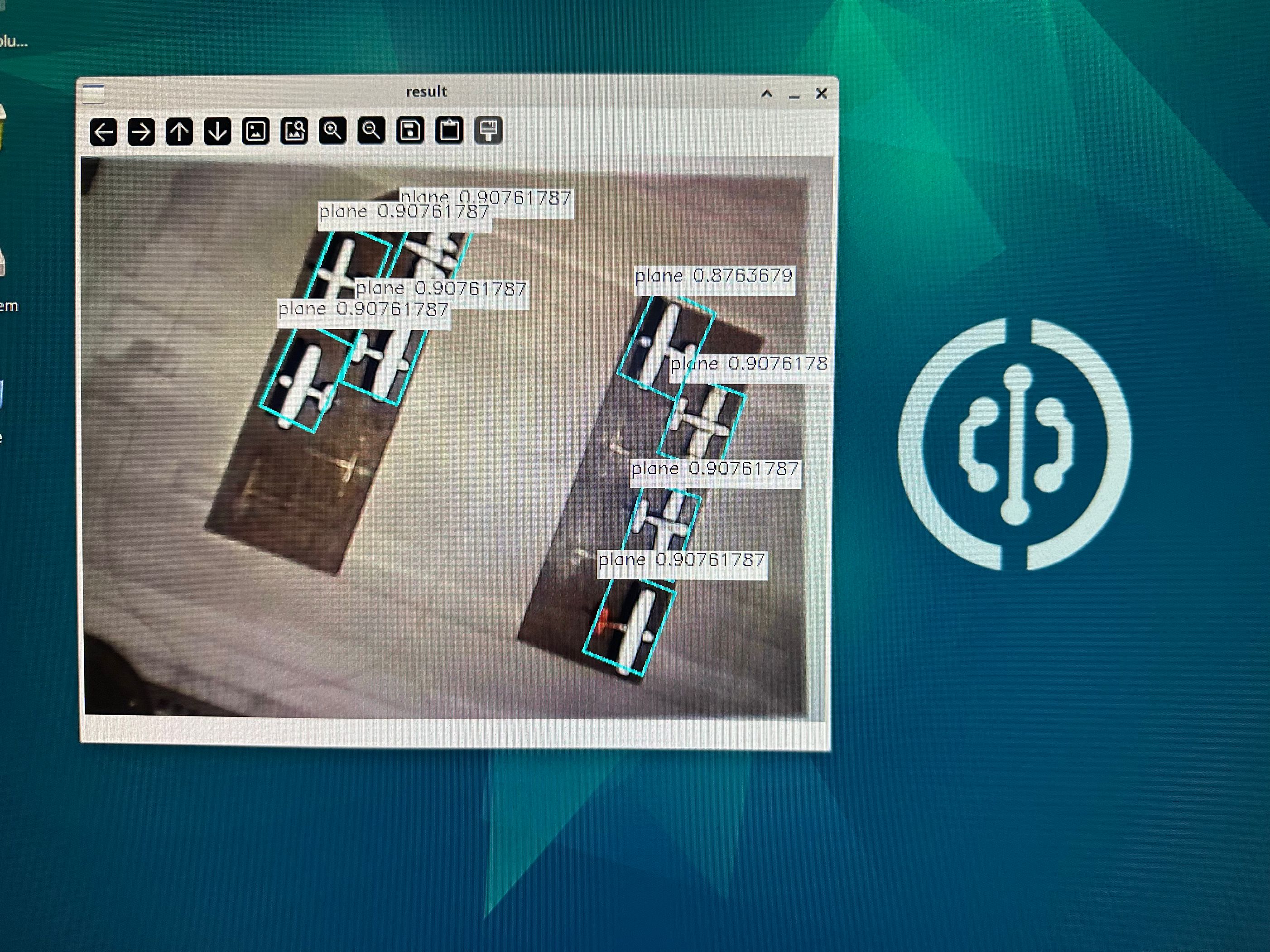
You can first learn about the USB Camera Usage Tutorial in OpenCV.
'''
Experiment Name: YOLO11 Oriented Detection
Experiment Platform: WalnutPi 2B
Description: Camera-based
'''

from walnutpi import YOLO11
import dataset_dota
import cv2

# [Optional] Allow Thonny remote execution
import os
os.environ["DISPLAY"] = ":0.0"

# Load model
path_model = "model/yolo11n-obb.nb"
yolo = YOLO11.YOLO11_OBB(path_model)

# Open camera
cap = cv2.VideoCapture(0)
if not cap.isOpened():
    print("Cannot open camera")
    exit()

boxes = []

while True:

    # Read a frame from camera
    ret, img = cap.read()

    if not ret:
        print("Can't receive frame (stream end?). Exiting ...")
        break

    # Non-blocking image inference
    if not yolo.is_running:
        yolo.run_async(img, 0.6, 0.1)

    boxes = yolo.get_result()

    # Output detection results
    if boxes is not None:

        print(f"boxes: {boxes.__len__()}")

        for box in boxes:
            print(
                "{:f} ({:4d},{:4d} r{:f} ) w{:4d} h{:4d} {:s}".format(
                    box.reliability, box.x, box.y, box.angle,
                    box.w, box.h, dataset_dota.label_names[box.label],
                )
            )

        for box in boxes:
            left_x = int(box.x - box.w / 2)
            left_y = int(box.y - box.h / 2)
            right_x = int(box.x + box.w / 2)
            right_y = int(box.y + box.h / 2)
            label = str(dataset_dota.label_names[box.label]) + " " + str(box.reliability)
            (label_width, label_height), bottom = cv2.getTextSize(
                label, cv2.FONT_HERSHEY_SIMPLEX, 0.5, 1,
            )
            cv2.line(img, box.get_top_left(), box.get_top_right(), (255, 255, 0), 2)
            cv2.line(img, box.get_top_left(), box.get_bottom_left(), (255, 255, 0), 2)
            cv2.line(img, box.get_bottom_right(), box.get_bottom_left(), (255, 255, 0), 2)
            cv2.line(img, box.get_bottom_right(), box.get_top_right(), (255, 255, 0), 2)
            cv2.rectangle(img, (left_x, left_y - label_height * 2), (left_x + label_width, left_y), (255, 255, 255), -1)
            cv2.putText(img, label, (left_x, left_y - label_height), cv2.FONT_HERSHEY_SIMPLEX, 0.5, (0, 0, 0), 1)
    cv2.imshow("result", img)
    key = cv2.waitKey(1)
    if key == 32:
        break

cap.release()
cv2.destroyAllWindows()