IP Address
WiFi IP Address
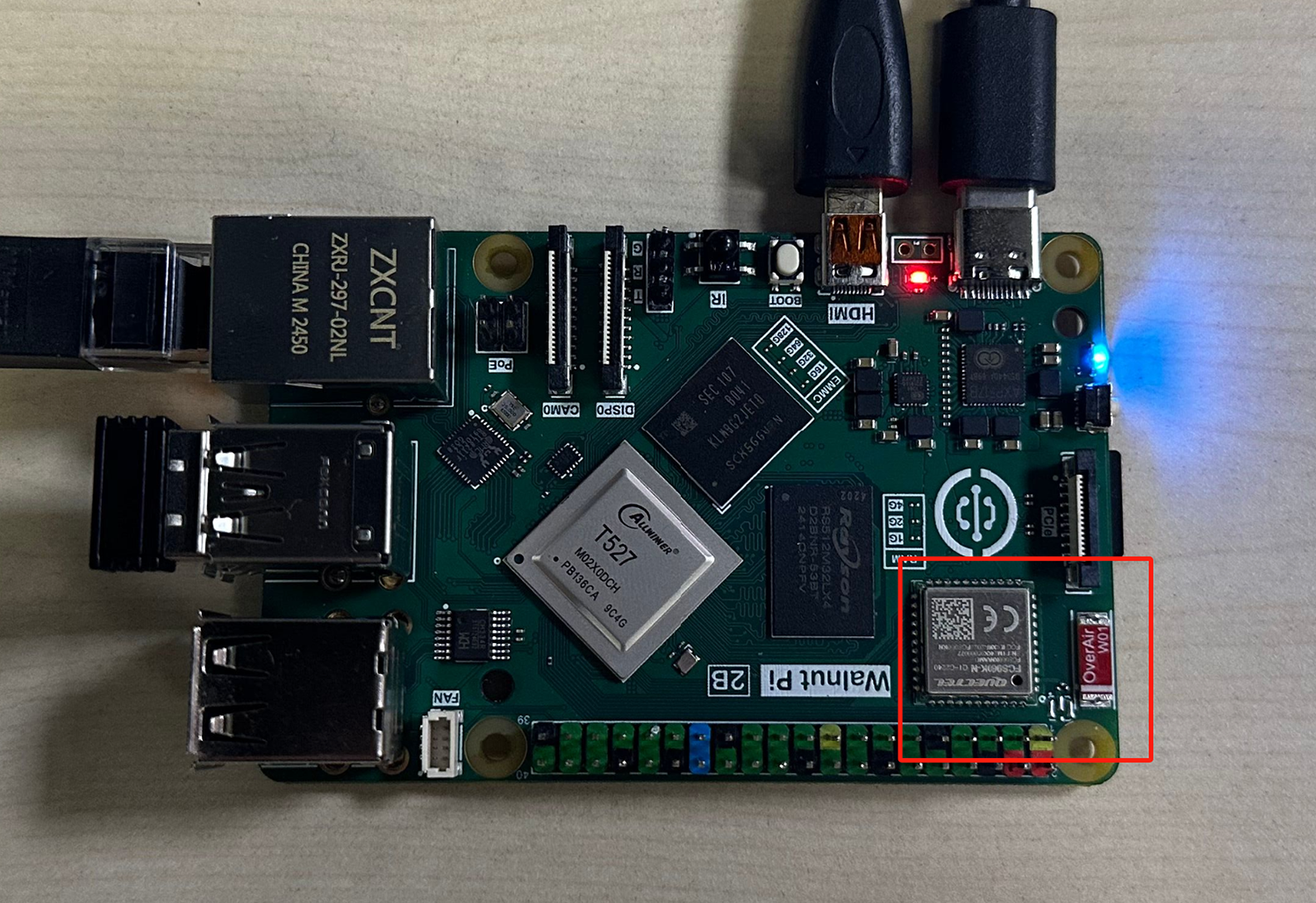
WiFi module hardware location—connects wirelessly to the router (supports 2.4G and 5G signals):
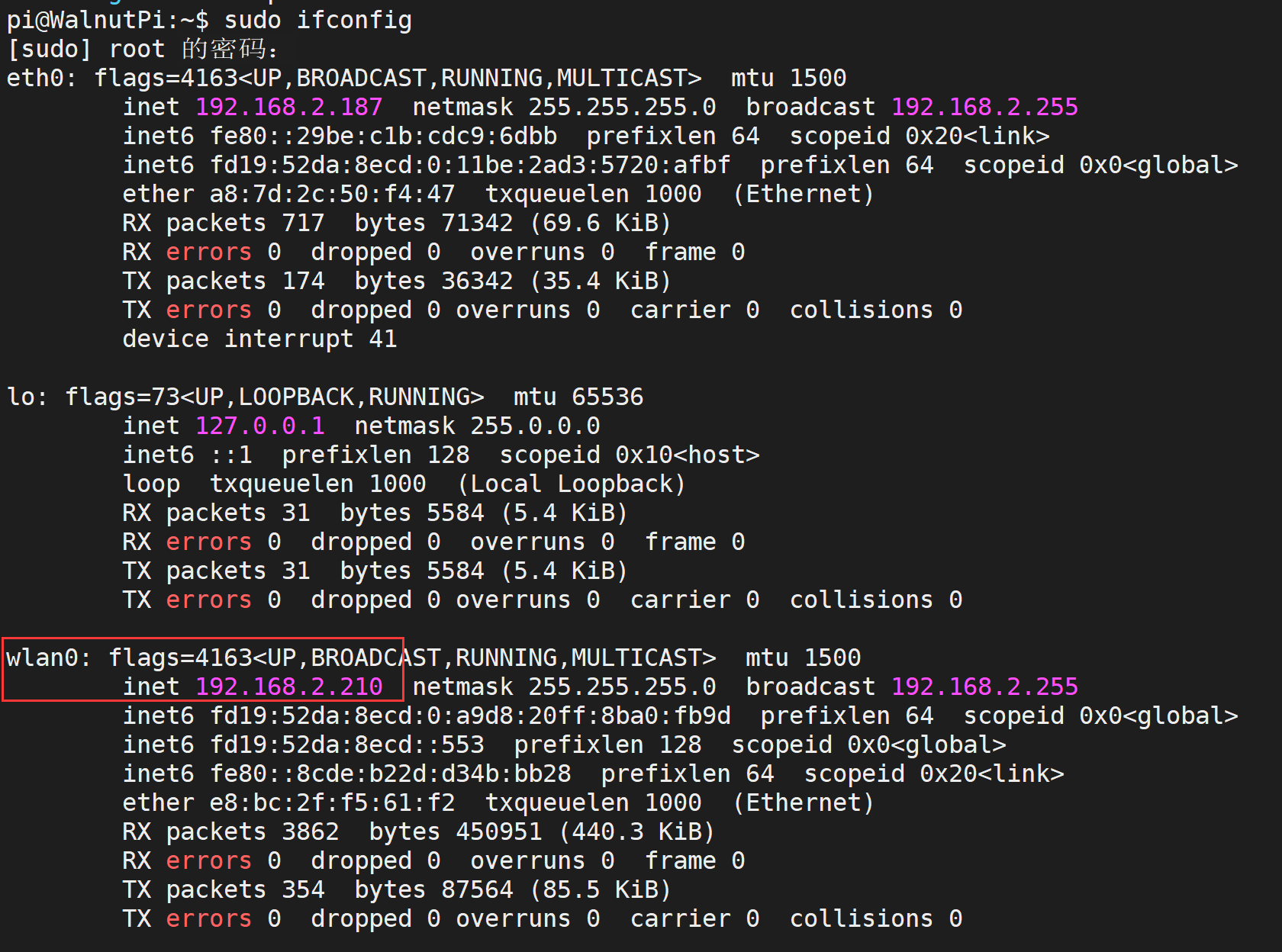
Use the following command to retrieve all network IP addresses of the Walnut Pi. wlan0 is the WiFi wireless adapter name; once connected, its IP address will be displayed.
sudo ifconfig
Ethernet IP Address
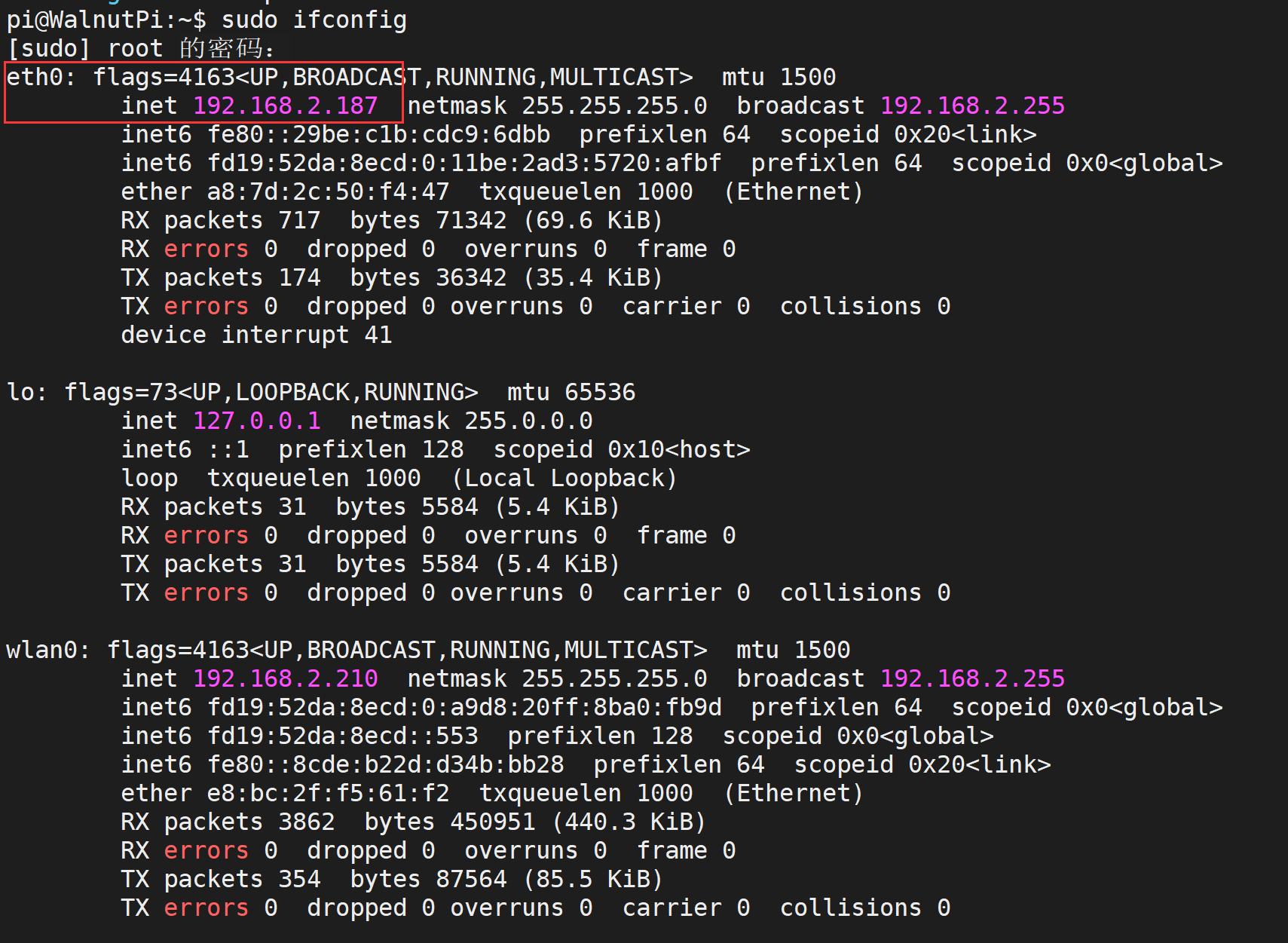
Ethernet module hardware location—connects to the router via Ethernet cable:

Use the following command to retrieve all network IP addresses of the Walnut Pi. eth0 is the Ethernet adapter name; once connected, its IP address will be displayed.
sudo ifconfig